
Most people think AI requires a data center. A rack of servers, a cloud subscription, someone else’s infrastructure humming somewhere you’ll never see. That assumption has quietly become a gatekeeping mechanism. If you need permission from a server in , for example, Virginia to think, you don’t really own your thinking.
Local AI flips that. When the model runs on your machine, your data never leaves. No terms of service parsing your prompts. No company deciding tomorrow that your use case violates a policy update. No bill that scales with how curious you are. Privacy sovereignty isn’t a feature, it’s the baseline condition for actually trusting a tool with your work, your ideas, and your business logic.
But the deeper story is about access. Right now, the best AI tools cost $20–$200 a month, billed in dollars, requiring a credit card and stable internet. That’s not a minor inconvenience in most of the world, it’s a hard wall. A developer in Lagos, a student in Guatemala, a small business owner in rural Southeast Asia: they don’t lack intelligence or ambition. They lack equal access to the infrastructure that amplifies it. A model that runs offline on a mid-range laptop changes that equation entirely.
This project started as a routing experiment. But what it actually demonstrates is that a $800 laptop, hardware most people in tech would consider modest, can run a capable language model locally, handle the majority of real work tasks without touching the cloud, and still escalate to paid APIs only when genuinely necessary. The cloud becomes optional, not mandatory. That shift matters everywhere, and it matters most where bandwidth is expensive and dollars are scarce.
Most people assume you need expensive hardware or a cloud subscription to have a useful AI assistant. I had a 2021 gaming laptop with a 4GB GPU sitting on my desk. So I tested that assumption.
Not by running one or two prompts and calling it a win. By building a routing system around the model, writing 40 test scenarios across 9 categories, and running the whole thing against a live endpoint. This is what the data actually showed.
The Hardware
The machine is an ASUS TUF Dash F15 from 2021. The GPU is an RTX 3050 Ti with 4GB of GDDR6 VRAM. That is not a typo, 4 gigabytes. The base configuration of this laptop is listed around $798 today.
The GPU matters more than anything else here because the model runs entirely on it. If the model fits in VRAM, every token gets generated at full GPU speed. If it doesn’t fit, it spills into RAM and slows way down.
The model I’m running is Qwen3.5:2b. The “2b” means 2 billion parameters. I run it at a compression level called q4_K_M — think of that like a high-quality MP3 instead of uncompressed audio. At that compression, the model uses 2.967GB of VRAM. It fits on the 3050 Ti with room to spare. The context window is 64,000 tokens, which is large enough to hold an entire document, codebase, or long conversation in one shot.
Ollama handles loading and running the model locally. Hermes Desktop is the chat interface. The router I built sits in between and decides what to do with every prompt before it reaches the model.
The Problem the Router Solves
A 2 billion parameter model is useful but not unlimited. It handles writing, code, explanations, and system administration well. It struggles with multi-step financial calculations, complex logic problems, and anything that requires holding several moving parts in mind at the same time while doing precise arithmetic.
Sending every prompt to a cloud model fixes the quality ceiling but breaks two things: your privacy and your budget. Sending every prompt to the local model keeps things private and free but hits accuracy limits on the hard stuff.
The router is the answer to that tradeoff. It reads each prompt, classifies it, and decides: local or cloud. Simple things, private things, writing, code, stay on the machine. Complex math, multi-step reasoning, anything where accuracy matters more than response time, go to Claude, Chatgpt, Gemini, DeepSeek, Kimi and/or Mimo in the cloud.
Think of it like a triage desk at a clinic. Minor things get handled at the front desk immediately. Only cases that genuinely need a specialist go further. The specialist’s time is valuable. You don’t waste it on things the front desk can handle.
One endpoint (http://localhost:8080/v1, model name router), fully OpenAI-compatible. Hermes Desktop connects to it without any changes. So does any Python script, VS Code extension, or command line tool that speaks the OpenAI API.
How Routing Decisions Are Made
The classifier works in two stages.
Stage one runs in under a millisecond, no AI, just pattern matching. If a prompt has dollar amounts, percentages, and financial keywords like “cost per month” or “annual ROI,” it flags as math/complex and routes to the cloud instantly. If the prompt contains anything resembling credentials, a password, an SSN, an API key value, a bank account number, it hard-locks to local regardless of what else the prompt says. That second rule is not a setting. It does not ask. It just forces the prompt local before anything touches the network.
Stage two only runs on ambiguous prompts that didn’t match stage one. The local qwen model itself reads the prompt and returns a classification: category (writing, code, math, reasoning, etc.) and complexity (simple or complex). This takes around 10–15 seconds on this hardware, which is why stage one exists, most prompts never need to wait for it.
The Test
On June 12, 2026, I ran 40 prompt scenarios against the live router. Each test had a prompt, an expected routing decision (local or cloud), and recorded the actual routing, which model handled it, and how long it took.
The categories: writing, code, sysadmin, business analysis, general questions, financial math, complex reasoning, privacy detection, adversarial classifier probes (prompts designed to trick the router into routing wrong), multilingual prompts, edge cases, and NosisTech-specific business scenarios.
The Results
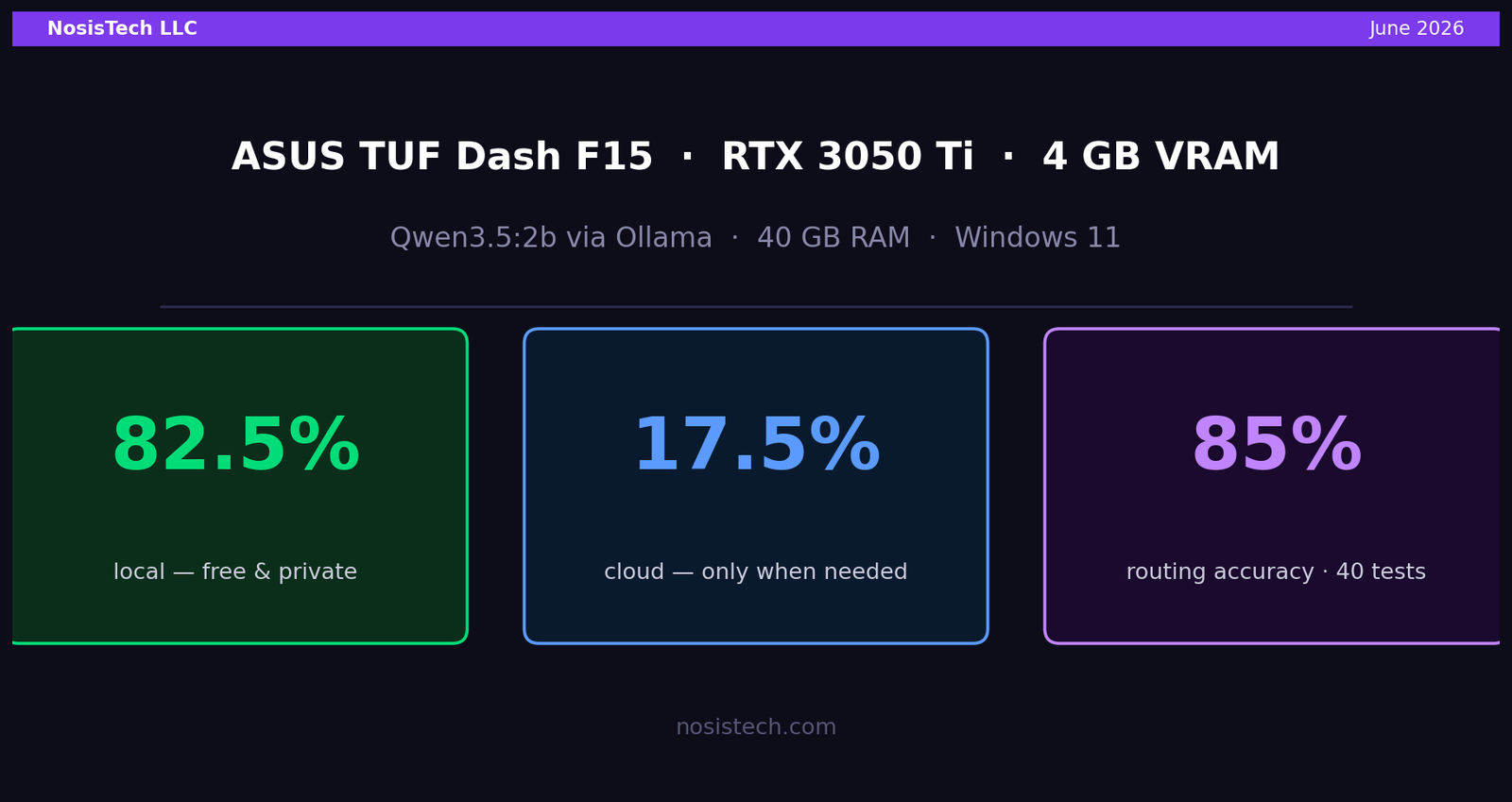
34 of 40 tests passed. 85% pass rate.
| Destination | Requests | Avg Response Time |
|---|---|---|
| Local — qwen (free, private) | 33 of 40 | 11.6 seconds |
| Cloud — DeepSeek | 7 of 40 | 6.3 seconds |
That 82.5% / 17.5% split is close to the 80/20 target. The local model handled the large majority for free. The cloud handled seven requests that actually warranted it.
The response times tell a story worth pausing on. The cloud was faster than local for the requests it handled, 6.3 seconds versus 11.6 seconds. That is because large-scale cloud inference infrastructure is optimized in ways a laptop GPU isn’t. Escalating to the cloud on hard tasks isn’t a penalty. It’s getting better results in less time.
What worked perfectly:
Privacy held on every test. Six scenarios: medical records with SSNs, OAuth bearer tokens embedded in code questions, bank account numbers in business emails, passwords in sysadmin tasks, all stayed local, every time, instantly.
Financial math escalation worked on every test. Four calculation scenarios with dollar amounts, percentages, and financial variables all went to DeepSeek and Gemini correctly.
The adversarial tests passed. A prompt containing the word “costs” but asking a conceptual question stayed local. A prompt full of financial vocabulary but no actual numbers stayed local. The classifier didn’t get tricked by keywords alone.
The 6 Failures
I want to be specific about what failed because the pattern matters.
Four failures were the same root cause. These prompts asked for complex reasoning, a churn projection, a logic puzzle, a market sizing estimate, a Spanish NPV calculation, but none of them contained dollar signs or explicit financial keywords. So the fast classifier passed them to qwen, and qwen classified them as “general / simple” instead of “reasoning / complex.” They stayed local when they should have gone to DeepSeek. qwen answered them, just with less precision than DeepSeek would have provided. The fix is adding reasoning-signal phrases to the fast classifier.
One failure was a wrong test expectation. I had marked a complex code refactoring task as “expected: cloud” but the router is configured to keep code local by default, because code you’re writing shouldn’t leave your machine. The routing was correct. My test expectation was wrong.
One failure was a false positive on privacy. A prompt asking how to generate a new API key in code triggered the private content detector because the words “API key” appeared. The result was still local, correct outcome, wrong label. The fix is requiring an actual key value in the pattern rather than matching the phrase “API key” in an instructional context.
What the 3050 Ti Actually Proved
A 4GB GPU from 2021 can run a capable local AI model. It fits entirely in VRAM and responds at GPU speed. It handles writing, code generation, system administration tasks, business analysis, and general questions without a cloud call. It detects private data and protects it automatically. It knows when a task exceeds its accuracy ceiling and escalates without you having to decide.
That is not theoretical. Those are the results from 40 tests run on June 12, 2026, against a live endpoint on this exact hardware.
The machine is not obsolete. It just needed the right software stack.
And that’s where this stops being about benchmarks.
A community health worker in rural Kenya running this setup on a laptop can describe a patient’s symptoms and get a structured differential diagnosis, locally, offline, in seconds, then escalate only the ambiguous cases to a cloud model when connectivity allows. A high school math teacher in rural Honduras can have a model that explains calculus concepts in Spanish, adapts to a student’s pace, and never requires a monthly subscription. A small engineering firm in Vietnam can run code review, documentation, and system design queries entirely on-device, keeping proprietary schematics off foreign servers. A pharmacist in rural India with no reliable internet can query drug interactions, flag contraindications, and generate patient instructions in the local language, all from a laptop that costs less than a month of enterprise software licenses.
These aren’t hypotheticals waiting for better hardware. They’re possible today, with a 4GB GPU, an open-weight model, and the routing logic described in this post. The bottleneck was never intelligence, it was access to the infrastructure that makes intelligence scalable.
Developed countries benefit too, just differently. A solo founder in a garage doesn’t have to trust a SaaS provider with their roadmap. A therapist running private practice notes doesn’t expose client sessions to a third-party API. A security researcher can analyze malware samples without sending them to an external endpoint. A hospital in a regulated environment can run internal triage tooling without navigating HIPAA cloud agreements. Local AI doesn’t compete with the cloud, it handles everything that was never appropriate for the cloud in the first place.
What Comes Next
This was a baseline test on a single model on a single machine. I want to take this further.
The next experiment is a tiered workflow where the local model handles first-pass tasks, classification, first drafts, quick lookups, private document analysis, and a cloud model handles the work that genuinely needs more horsepower: complex reasoning, final polish, tasks where a few extra seconds don’t matter but accuracy does.
The idea is that 80% of daily AI requests do not need a frontier model. They need a fast, private, always-available assistant. If you can serve that 80% locally for zero dollars per query, you only reach for the cloud when it is actually worth it.
That is the architecture I’m building toward. This test was step one. It validated that the hardware is capable, the model is useful, and the workflow is real.
The rest I’ll document as I build it.
Keep reading: The $798 laptop test
Previous article: Running Local AI on a $798 Laptop: The NosisTech Test
Next article: Your Own Private AI on a $798 Laptop: 2B Model, 91% Pass
All articles: NosisTech Writing
© 2026 NosisTech LLC. Licensed under CC BY 4.0. Use freely, just credit us.