
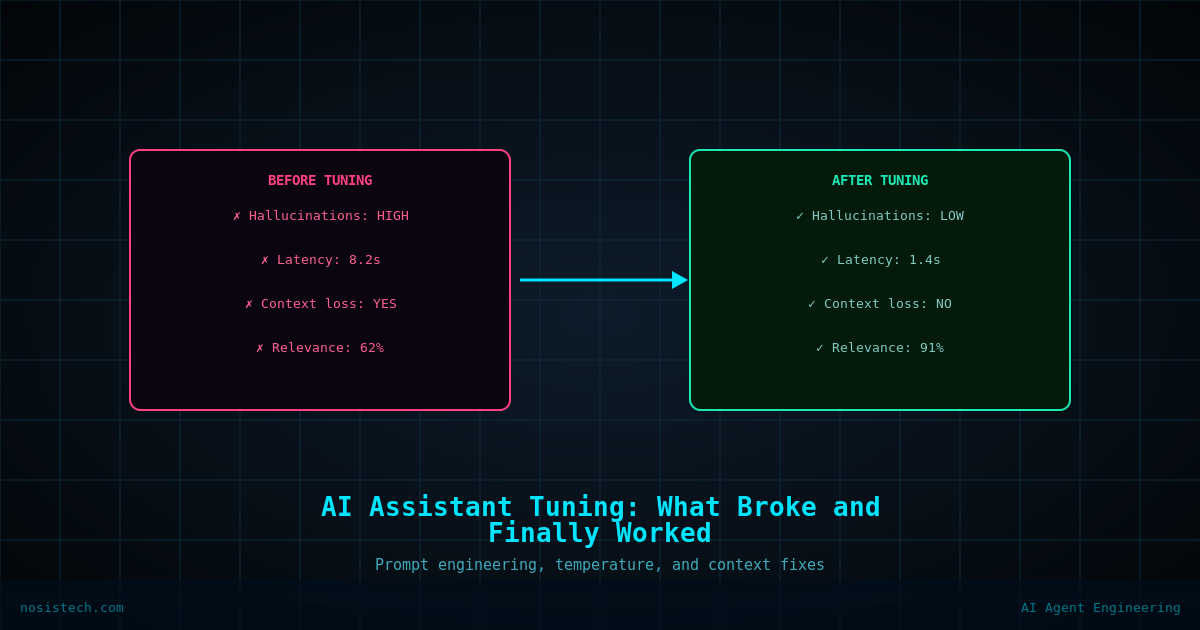
How I fixed my AI Assistant when it ignored its system prompt, tested four models, and landed on a working Modelfile config for local AI voice on Windows.
Disclaimer: This article documents a personal technical experiment on my own infrastructure. The configurations, rules, and steps described reflect what worked in my specific environment and should not be treated as security advice, professional recommendations, or guaranteed protection against any threat. Every environment is different. Always validate independently, test in a non-production setting first, and consult qualified security professionals before applying any security-related configuration to production systems. NosisTech LLC accepts no liability for outcomes resulting from use of this content. This post’s specific troubleshooting steps taken in my environment. Software behavior varies by version, hardware, and configuration. Nothing here is a prescription. Results in other setups will differ.
Getting my AI assistant to talk was the easy part. Getting it to talk the way I needed – short, direct, no bullet points, no hallucinated context – took considerably longer. This post documents that process.
The Problem
After the initial build, my AI assistant was technically working. Voice in, voice out. But the responses were wrong. Too long. Full of bullet points. Asking me follow-up questions instead of answering. In one session it invented a fake project I had never mentioned and asked me how it was going.
The system prompt was supposed to fix all of that. It was not working.
Why the System Prompt Was Not Loading
The first issue was that Open WebUI has a character limit on its model configuration system prompt field. My AI assistant system prompt was hitting that limit silently. The Save button appeared to work. Nothing was actually being saved.
I discovered this when I exported the Modelfile and saw my system prompt injected into the TEMPLATE block as a role name instead of a SYSTEM block. Open WebUI had corrupted the file structure when it ran out of space.
The fix was to stop using Open WebUI’s system prompt field entirely and bake the prompt directly into the Modelfile using a proper SYSTEM block. That moves the prompt to Ollama level, where there is no character cap.
The process: export the base model’s Modelfile with ollama show modelname --modelfile, edit it in Notepad, add a clean SYSTEM block, rebuild with ollama create [ai assistant name] -f ai-assistant-name.modelfile. Once that is done, Open WebUI’s character limit becomes irrelevant.
The Model Problem
Even with the system prompt loading correctly, the model compliance problem remained. Gemma3:12b was generating essays instead of 2-sentence voice responses.
I tested three alternatives:
qwen36-tuned at 36B took over three minutes to respond. Completely unusable for voice. The model was also showing its full internal reasoning chain in the output, which added latency and filled the response with content I did not want spoken.
Gemma4:26b also has a thinking mode. It thought for 4 seconds, then started generating a structured breakdown. Not what I needed.
Qwen3:30b-a3b supports a /nothink flag that is supposed to disable its reasoning chain. I added it to the SYSTEM block. It did not work with that model’s stop token configuration. The thinking output continued.
I came back to gemma3:12b. The problem was not the model. It was the system prompt being too long and too gentle for a 12B model to reliably follow.
What Actually Fixed It
Three changes together solved the compliance problem.
First, I compressed the system prompt aggressively. Shorter prompt, fewer instructions, more direct language. Instead of “keep answers short and conversational for voice,” I wrote “reply in 1-2 short sentences only. No lists, no bullet points, no thinking, no questions back.”
Second, I added PARAMETER num_predict 100 to the Modelfile. This is a hard cap on output length at the token level. The model cannot generate a long response regardless of what it wants to do.
Third, I added PARAMETER num_ctx 2048 to reduce the context window. Smaller context means faster inference on 12GB VRAM. Voice sessions are short by nature. 2048 tokens is more than enough.
The final Modelfile parameters:
PARAMETER temperature 0.7
PARAMETER num_predict 100
PARAMETER num_ctx 2048
Temperature 0.7 instead of 1.0 reduces randomness and improves instruction following on smaller models.
The Voice UX Problem
One issue that has no clean fix yet is the voice mode activation flow on mobile. The waveform icon that launches full voice mode only appears after sending an initial message. It is not available immediately when opening a new chat.
This is a platform behavior in Open WebUI, not a configuration issue. The workaround is setting my-ai-assistant:latest as the default model so the selection step is eliminated. The remaining friction is one tap to open a new chat and one tap to send an empty trigger message. Acceptable for daily use. Not ideal.
What Works Now
The final working configuration: gemma3:12b as the base, a compressed aggressive system prompt baked into the Modelfile, num_predict 100, num_ctx 2048, temperature 0.7, and My AI Assistant Vault attached as the knowledge collection in each chat session.
Response time is under 10 seconds for most queries. Responses are 1-2 sentences. Bullet points have not appeared since the num_predict cap was added. The model knows my business context and answers accordingly.
What I Would Do Differently
Skip Open WebUI’s system prompt field entirely from day one. Go straight to the Modelfile. The character limit issue costs hours of debugging if you do not know it exists.
Test model compliance before testing voice. Send text messages first. If the model is not following behavioral rules in text mode, it will not follow them in voice mode either.
Start with the smallest model that can follow instructions reliably, not the largest model available. For voice, speed matters more than capability in the use case and for my hardware.
What Is Next
The knowledge base retrieval is working but not consistently surfacing relevant context on short questions. That is a chunking and threshold tuning problem I will address in a future session.
The bigger roadmap item is building a dedicated voice pipeline outside of Open WebUI entirely, using n8n to connect Ollama, a TTS engine, and a persistent memory store.