
Cloudflare Cache Rules: Why Order Matters
My website runs behind Cloudflare. Cloudflare does not cache HTML by default, which means every page visit was hitting Hostinger’s shared server directly.
Disclaimer: This article documents a personal technical experiment on my own infrastructure. The configurations, rules, and steps described reflect what worked in my specific environment and should not be treated as security advice, professional recommendations, or guaranteed protection against any threat. Every environment is different. Always validate independently, test in a non-production setting first, and consult qualified security professionals before applying any security-related configuration to production systems. NosisTech LLC accepts no liability for outcomes resulting from use of this content.
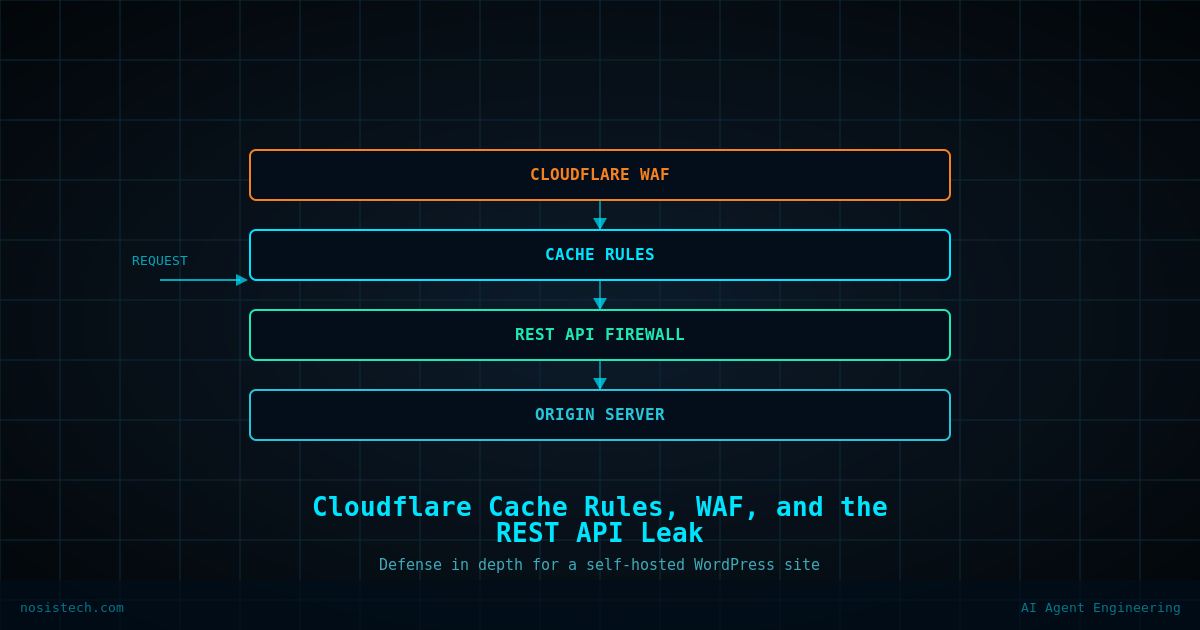
I created three cache rules in Cloudflare under Caching > Cache Rules, in this exact order, because Cloudflare evaluates rules top to bottom and stops at the first match.
Rule 1 :Bypass cache for WordPress dynamic paths. Any request where the URI path contains /wp-admin or /wp-login.php bypasses cache entirely. In my setup, serving an admin session from cache was a risk I was not willing to accept.
Rule 2 : Cache static assets. File extensions including css, js, png, jpg, jpeg, gif, webp, svg, woff, woff2, ttf, and ico get cached at the edge for one month, with browser TTL also set to one month. These files do not change often. There is no reason to re-fetch them.
Rule 3 : Cache HTML pages. Any URI path that does not contain /wp-admin gets cached at the edge for four hours, with a 30-minute browser TTL. This is the rule that actually changes performance, Cloudflare Free will not cache HTML unless you explicitly tell it to.
The order matters. If Rule 3 ran before Rule 1, admin pages could get cached. Cloudflare processes the first matching rule and stops, so bypass has to come first.
The Crawl-Delay Decision: Why I Said No
I looked at whether to add a Crawl-delay directive to robots.txt. The server runs on Hostinger’s Business Web Hosting plan : 2 CPU cores, 3GB RAM, 60 PHP workers. Decent for shared hosting.
The decision was no, and here is why.
Googlebot ignores Crawl-delay entirely. It manages its own crawl rate based on server response times. The only crawlers that honor Crawl-delay are a subset of non-Google bots, and the ones that actually pose a risk are already blocked with Disallow: / in the Cloudflare-managed section of robots.txt. Adding Crawl-delay to a file being managed simultaneously by SureRank and Cloudflare introduced conflict risk without meaningful protection gain.
The REST API Leak I Almost Ignored
WordPress exposes user data at /wp-json/wp/v2/users by default. No authentication required. Visit that URL on most WordPress sites and you will see user IDs, display names, slugs, and Gravatar hashes, everything an attacker needs to target a brute force attempt with real usernames instead of guesses.
I checked. It was open.
The fix was a Cloudflare Security Rule under Security > Security Rules > Custom Rules. One rule: URI Path contains /wp-json/wp/v2/users, action Block. After a cache purge to clear a cached response, the endpoint now returns a Cloudflare block page instead of user data in my environment.
User enumeration via the REST API is a documented attack vector in WordPress credential attacks. In my assessment of my own site, leaving it open was not a risk I was comfortable with, your threat model and priorities may lead you to a different conclusion.
Terms of Use in the Footer: Small Detail, Real Consequence
Small item, but legally relevant. The Terms of Use page was already published. I added it to the Footer Bar widget area in GeneratePress using a Custom HTML widget with a direct link. It now appears on the right side of the footer bar next to the copyright line, site-wide.
In my case, having a Terms of Use page that visitors can actually find felt like a baseline requirement given that I collect contact form data and publish original content. Burying it in a sitemap was not enough for my purposes.
Keep reading: Securing this website
Previous article: Securing my website Against AI Scrapers, Bots, and Brute Force Attacks
Next article: Fixed Persistent WordPress Admin Bar Leak And Automated the Cache
All articles: NosisTech Writing