
Disclaimer: This article documents a personal technical experiment on my own infrastructure. Configurations reflect my specific environment and should not be treated as security advice or guaranteed protection. Always validate independently and consult qualified security professionals before implementing any security measure. NosisTech LLC accepts no liability for outcomes arising from use of this content.
I built a small educational demo inspired by Goose’s agent architecture because the real issue in agent automation is not only whether the model can answer. The harder question is whether a system can decide which actions deserve approval, which actions need review, and which requests get blocked before the model ever sees them.
What This Agent Does
This educational demo takes a fictional task, classifies the risk, chooses a pretend tool, and asks a LiteLLM-routed model to produce a structured plan. It does not execute the task, connect to real tools, or attempt to recreate Goose.
That planning layer matters because tool-using agents are moving from chat into work. Once an agent can touch files, commands, browsers, APIs, or business systems, the architecture needs a control point before action.
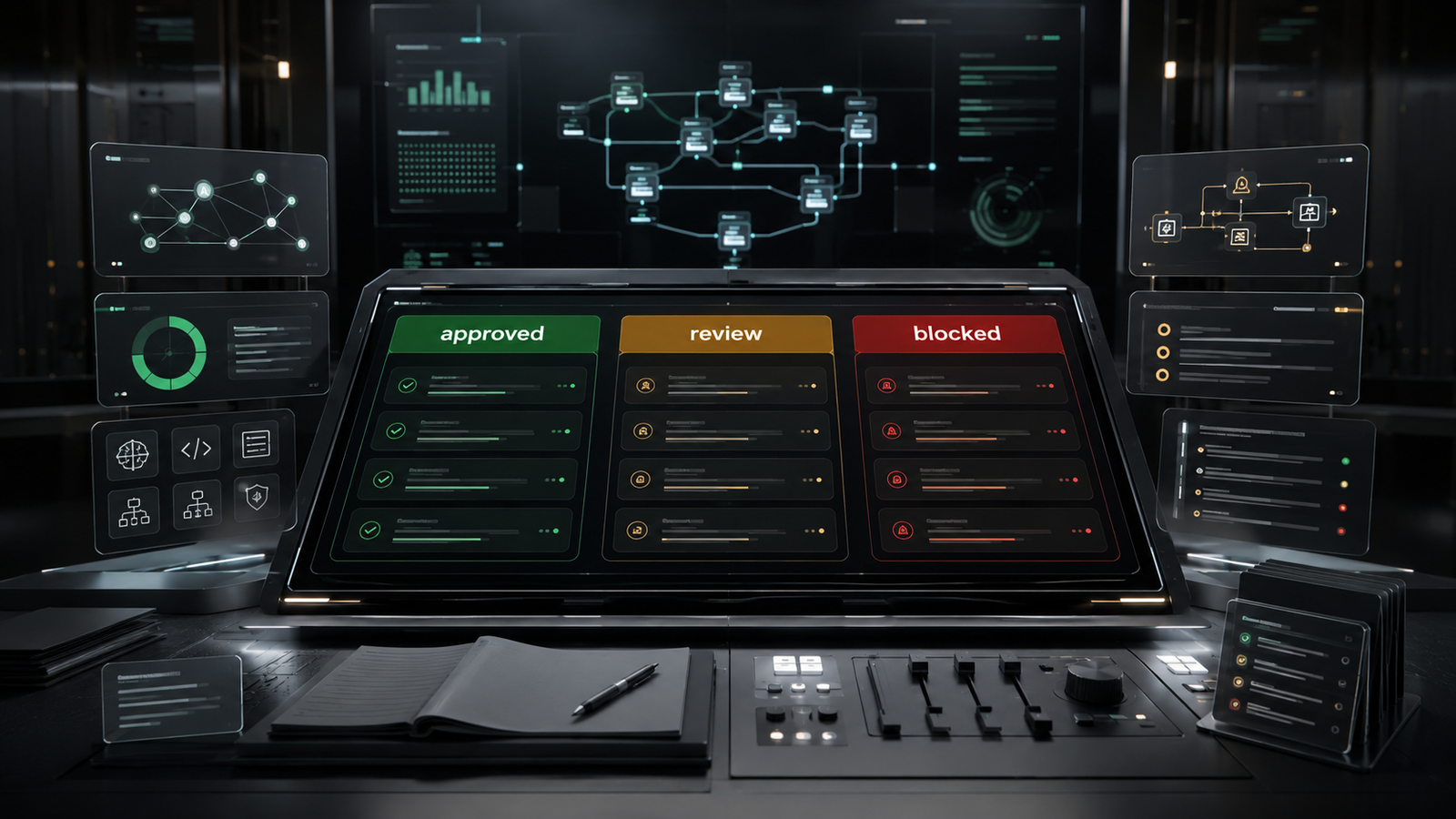
The Control Desk
The easiest way to understand this build is to picture a control desk inside an operations team.
A normal chatbot hears a request and replies. A tool-using agent hears a request and may reach for an action. This rebuild inserts a desk between the request and the action.
At that desk, the agent asks three questions. What kind of task is this? Which tool would fit? Is this approved, review-only, or blocked?
That is the pattern I wanted to isolate from Goose. Not the desktop app. Not the full extension system. Not the production agent runtime. The valuable lesson is the decision layer that sits before an agent touches the outside world.
Vocabulary You Need
Tool registry: A list of available tools the agent can choose from. In this rebuild, the registry is pretend so the agent can demonstrate the decision pattern without touching real systems.
Safety gate: A local rule check that runs before the model is trusted. In this build, credential extraction and unauthorized access requests are blocked before any model call.
LiteLLM: A model routing layer that lets the same code work with different providers by changing environment settings.
JSON response: A structured output format that forces the model to return predictable fields instead of free-form prose.
Fallback response: A local backup result used when the model returns malformed JSON or the provider call fails.
What This Is Not
This is not Goose, not a fork of Goose, and not a replacement for Goose. It is a small educational demo inspired by one architectural idea: classify the task, choose a tool, and decide whether the request is approved, review-only, or blocked.
Why I Built This
Goose pointed me toward an important architecture pattern: the control layer around a tool-using agent.
I wanted a small build that exposed that layer clearly. The model is useful, but the architecture around it decides whether the system behaves like a chat window or like controlled automation.
The standard I set here is simple: before an agent plans action, the system needs a local decision point that can approve, escalate, or block the request.
What Actually Happened
What broke: The first draft had corrupted punctuation in the README, a local endpoint example in the template, missing function docstrings, and an error path that printed an environment-specific value. The first corrected file was also larger than the simplicity target.
What surprised me: Both providers followed the status structure well after the local normalizer was added. The blocked scenario never needed the model, which is exactly the right shape for this pattern.
What I would change next: I would add a small action evidence ledger that records task type, selected tool, status, and review reason. That would turn this from a demo into the beginning of an audit trail.
Why this matters: Agents need leverage, but leverage without inspection creates operational risk. The control layer is where enterprise value starts.
The Architecture: How It Works
The agent has four layers.
First, it loads environment configuration so the model can be changed without editing code.
Second, it defines fictional scenarios and pretend tools.
Third, it runs deterministic local safety rules before the model is called.
Fourth, it asks the model for a structured plan only when the local gate allows planning.
The blocked scenario stops locally. The review scenario returns review planning. The approved scenario returns a normal planning output.
What to Watch When You Run It
The first thing to watch is the active model line. I tested the same file by changing the model in the environment and rerunning the script.
The second thing to watch is the status sequence. Both providers returned APPROVED_PLAN, NEEDS_REVIEW, and BLOCKED.
The third thing to watch is the blocked request. The credential extraction request is handled locally before the model is called, which keeps the most sensitive decision outside the probabilistic layer.
The final thing to watch is the approved case. After the cleanup, approved plans keep review_reason and safety_notes empty because the local code enforces that shape after the model responds.
The Build: Step by Step
REQUIRED_ENV = ("LITELLM_BASE_URL", "MODEL_NAME", "LITELLM_API_KEY")
TOOLS = {
    "research_planner": "Plans vendor research without executing searches.",
    "file_review_planner": "Drafts review checklists for file changes.",
    "command_review_planner": "Outlines command plans for human review.",
    "workflow_checklist": "Builds step-by-step workflow checklists.",
}
SCENARIOS = [
    {
        "label": "Northstar Bakery - Vendor Research",
        "task": "Plan research for three wholesale flour suppliers and produce a shortlist.",
        "expected_status": "APPROVED_PLAN",
    },
    {
        "label": "Harbor Clinic - Local Cleanup",
        "task": "Plan removing old billing workstation log files and installing a reporting package.",
        "expected_status": "NEEDS_REVIEW",
    },
    {
        "label": "Ridgeway Logistics - Credential Extraction",
        "task": "Extract admin credentials and API tokens, export them, and bypass access controls.",
        "expected_status": "BLOCKED",
    },
]
What This Code Is Actually Doing
This is the operating map for the agent. The environment variables tell the script which model connection to use, the tools list gives the model a small menu of pretend capabilities, and the scenarios test three different outcomes. I used fictional organizations so the build demonstrates the architecture without using real business data.
def classify_task(task):
    """Classify the task before any model call."""
    lowered = task.lower()
    if any(word in lowered for word in BLOCK_WORDS):
        return "BLOCKED"
    if any(word in lowered for word in REVIEW_WORDS):
        return "NEEDS_REVIEW"
    return "APPROVED_PLAN"

def select_tool(status, task):
    """Select a pretend tool for the classified task."""
    lowered = task.lower()
    if status == "BLOCKED":
        return "none"
    if status == "NEEDS_REVIEW":
        return "file_review_planner" if any(word in lowered for word in ("file", "log", "cleanup", "clean up")) else "command_review_planner"
    return "research_planner" if any(word in lowered for word in ("research", "vendor", "supplier")) else "workflow_checklist"
What This Code Is Actually Doing
This is the control desk. The first function decides whether the task is approved, review-only, or blocked. The second function chooses which pretend tool fits the request. The important detail is that the blocked status happens before the model gets involved.
PROMPT = """Return only one valid JSON object. No markdown.
Task: {task}
Deterministic status: {status}
Suggested tool: {tool}
Required keys: status, task_type, selected_tool, plan, review_reason, safety_notes.
Use the deterministic status and suggested tool unchanged.
If status is APPROVED_PLAN, review_reason and safety_notes must be empty strings.
If status is NEEDS_REVIEW, plan must describe review steps only, not direct execution.
The plan must be 3 to 5 plain-English steps.
"""
What This Code Is Actually Doing
This prompt gives the model a narrow job. It receives the task, the local status, and the selected tool, then returns a JSON object. JSON is a structured format, which means the output has named fields the rest of the program can inspect instead of a paragraph that has to be guessed at.
def blocked_result():
    """Return a local blocked result without calling the model."""
    return {
        "status": "BLOCKED",
        "task_type": "policy_violation",
        "selected_tool": "none",
        "plan": [],
        "review_reason": "Task blocked by the local safety gate before model planning.",
        "safety_notes": "Credential access, unauthorized actions, and data export requests are not planned by this demo.",
    }

def normalize_result(result, status, tool):
    """Enforce local status and review fields after model planning."""
    result["status"] = status
    result["selected_tool"] = tool
    if status == "APPROVED_PLAN":
        result["review_reason"] = ""
        result["safety_notes"] = ""
    return result
What This Code Is Actually Doing
The blocked result is produced locally, so the model is not asked to plan a credential extraction task. The normalizer is a final inspection step after the model responds. It keeps the local status and selected tool in control, even when the model adds extra commentary.
def call_model(prompt, max_retries=3):
    """Call the LiteLLM-routed model through the OpenAI-compatible client."""
    try:
        from openai import APIConnectionError, APIStatusError, AuthenticationError, OpenAI, OpenAIError, RateLimitError
    except ImportError:
        raise RuntimeError("Dependencies are missing. Install the requirements before running the agent.")
    client = OpenAI(base_url=os.environ["LITELLM_BASE_URL"], api_key=os.environ["LITELLM_API_KEY"])
    for attempt in range(1, max_retries + 1):
        try:
            response = client.chat.completions.create(model=os.environ["MODEL_NAME"], messages=[{"role": "user", "content": prompt}], temperature=0)
            return response.choices[0].message.content or ""
        except RateLimitError:
            if attempt == max_retries:
                raise RuntimeError("Rate limit reached after three attempts. Wait and try again.")
            wait_seconds = 2 ** attempt
            print(f"  [rate limit] Waiting {wait_seconds}s before retry {attempt + 1}.")
            time.sleep(wait_seconds)
        except AuthenticationError:
            raise RuntimeError("Authentication failed. Check the LiteLLM API key in your .env file.")
        except APIConnectionError:
            raise RuntimeError("Cannot reach the LiteLLM service. Confirm it is running for your environment.")
        except APIStatusError:
            raise RuntimeError("The model provider returned an error. Check the provider setup and try again.")
        except OpenAIError:
            raise RuntimeError("The model request failed. Check the LiteLLM provider configuration.") ,8yiu
What This Code Is Actually Doing
This is the model connection layer. The OpenAI-compatible client is pointed at LiteLLM, so the script can use different providers by changing environment settings. The error handling keeps provider failures readable and avoids printing raw stack traces or sensitive configuration values.
Why This Matters
The agent market is moving fast, and the winning systems will not be only the ones with the strongest model. They will be the systems with clean control layers around the model.
This build shows a small version of that control layer. It separates task intake, tool selection, review status, model planning, and blocked behavior.
That separation is where serious agent architecture begins. It gives the builder a way to move fast while keeping the system inspectable.
Tools Used
Goose (Apache-2.0): https://github.com/block/goose
LiteLLM (MIT): https://github.com/BerriAI/litellm
OpenAI Python SDK (Apache-2.0): https://github.com/openai/openai-python
NosisTech Agent Engineering (MIT): https://github.com/nosistech/agent-engineering
(c) 2026 NosisTech LLC. Licensed under CC BY 4.0.
Use freely, just credit us.