
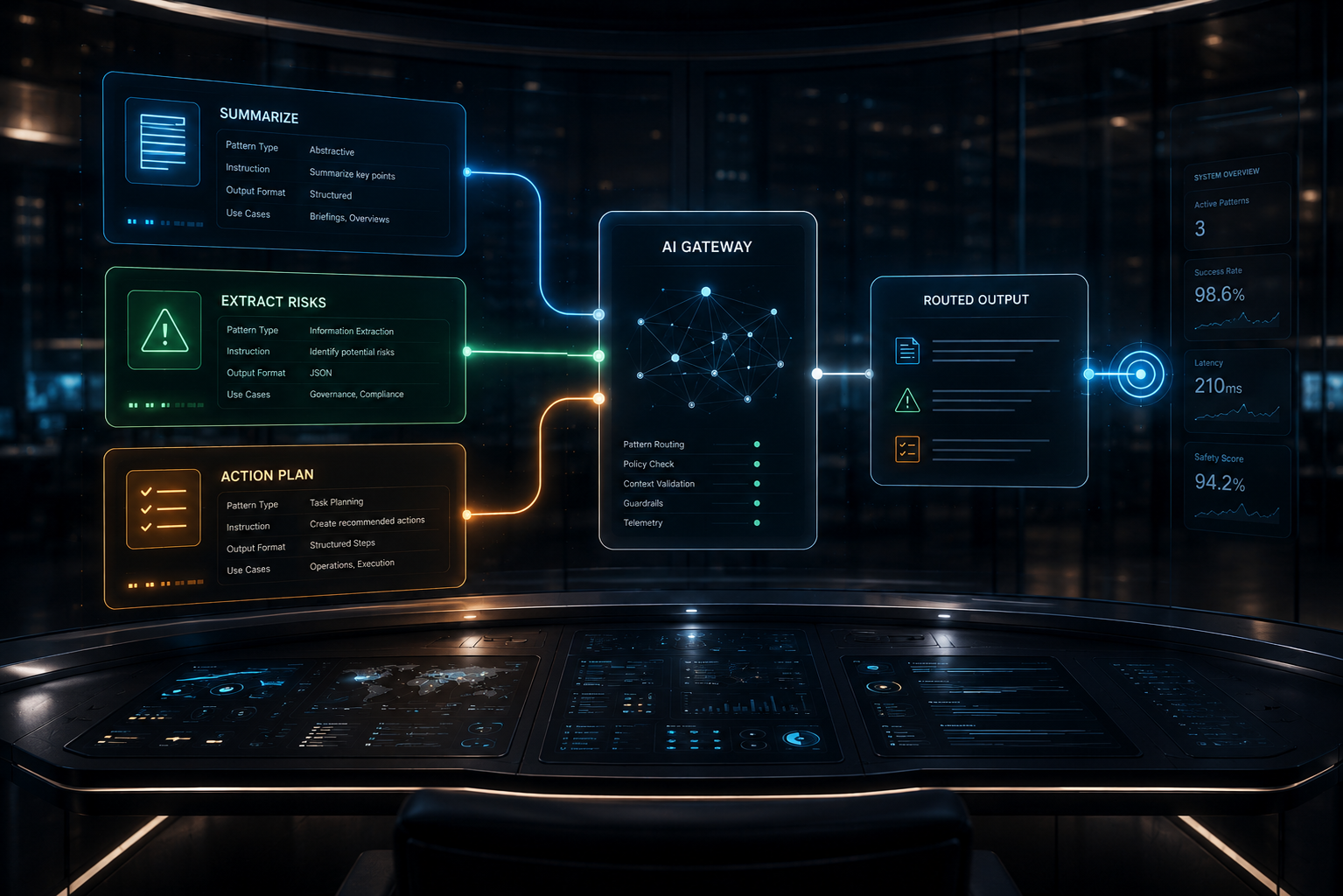
Fabric caught my attention because it treats prompts as reusable operating assets, not one-off messages. The strongest idea is : store proven instructions as named patterns, combine them with fresh input, and route the request through a model.
What This Agent Does
This agent rebuilds Fabric’s core pattern-routing idea in plain Python.
It stores three reusable prompt patterns: one for executive summaries, one for risk extraction, and one for action planning. Each pattern is paired with a fictional business note, then sent through LiteLLM using the model configured in .env.
The build does not recreate Fabric’s full Go command-line tool, REST API, web UI, installer scripts, provider plugin system, or large pattern library. I kept the part that matters architecturally: reusable instructions selected by name and applied consistently to business inputs.
Why I Built This
I built this because prompt reuse is becoming an operations problem.
A business does not want every analyst, founder, or engineer rewriting instructions from scratch every time they use AI. That creates inconsistent output, wasted time, and invisible quality drift. Fabric’s pattern idea points toward a better operating model: build a library of trusted instructions, then reuse them like internal tools.
What I wanted to test was whether that pattern could be reduced to a small, model-agnostic Python build. It could. The rebuild shows the useful core without requiring the full framework around it.
What Actually Happened
What broke:
Dry-run testing initially failed because a Windows-created .env file included a UTF-8 BOM marker, which made the first variable name unreadable. A PowerShell edit also inserted literal newline markers into agent.py, which Python caught during syntax checking.
What surprised me:
DeepSeek followed the compact pattern instructions more closely. Gemini completed the same workflow but added more formatting and explanatory scaffolding than requested.
What I would change next:
I would add a pattern quality checker that compares output against the pattern’s intended style. That would turn pattern reuse into something measurable.
Why this matters:
Reusable prompts improve consistency, but they do not remove provider differences. The architecture still needs testing across models before a pattern becomes part of a real workflow.
The Architecture: How It Works
The architecture has four layers.
First, there is a pattern registry. A registry is a lookup table. In this build, it is a Python dictionary that stores each pattern’s name, purpose, and system prompt.
Second, there is an input set. Each input is a fictional business note. The pattern tells the model how to think about the note.
Third, there is a LiteLLM model gateway. LiteLLM lets the same code route to different model providers by changing MODEL_NAME in .env.
Fourth, there is the execution loop. The agent validates the pattern, validates the input, builds the model messages, calls the model, and prints the result.
The provider comparison was useful. DeepSeek V4 Pro produced compact outputs that stayed close to the pattern instructions. Gemini Flash produced valid outputs, but added more formatting and explanation. That difference is the lesson: patterns create reusable intent, but the architecture still needs provider testing.
The Build: Step by Step
PATTERNS = {
    "summarize_briefing": {
        "name": "summarize_briefing",
        "purpose": "Turn a business note into a concise executive summary.",
        "system_prompt": "You are an executive communications specialist. Summarize the business note in plain language using three to five sentences. Do not use headers or bullets.",
    },
    "extract_risks": {
        "name": "extract_risks",
        "purpose": "Identify operational, compliance, or customer risks in a note.",
        "system_prompt": "You are a risk analyst. Identify operational, compliance, or customer risks in the note. List each risk as a short statement. Do not speculate beyond the note.",
    },
    "draft_action_plan": {
        "name": "draft_action_plan",
        "purpose": "Convert a status note into specific next actions.",
        "system_prompt": "You are a project manager. Convert the status note into a numbered list of concrete next actions achievable within one week. Assign a role where possible.",
    },
}
What This Code Is Actually Doing
This is the pattern library. A pattern is a reusable instruction package. Instead of writing a new prompt each time, the agent selects one of these named patterns and applies it to the current business note.
def get_pattern(pattern_name: str) -> dict[str, str]:
    """Return a known pattern by name."""
    if pattern_name not in PATTERNS:
        print("Unknown pattern: " + pattern_name)
        print("Available patterns: " + ", ".join(PATTERNS))
        sys.exit(1)
    return PATTERNS[pattern_name]
What This Code Is Actually Doing
This function is the pattern gate. It checks whether the requested pattern exists before any model call happens. That matters because a missing or misspelled pattern would otherwise turn into an unclear model request or a confusing runtime error.
def validate_input(user_text: str) -> None:
    """Check that input is present and small enough for this demo."""
    if not user_text.strip():
        print("Input text cannot be blank.")
        sys.exit(1)
    if len(user_text) > 4000:
        print("Input text exceeds the 4000-character limit.")
        sys.exit(1)
What This Code Is Actually Doing
This is the input checkpoint. It rejects blank input and oversized input before sending anything to the model. In plain English, the agent checks the material before spending an API call on it.
def build_messages(pattern: dict[str, str], user_text: str) -> list[dict[str, str]]:
    """Combine the selected pattern and user input."""
    return [
        {"role": "system", "content": pattern["system_prompt"]},
        {"role": "user", "content": user_text},
    ]
What This Code Is Actually Doing
This is where the reusable instruction and the fresh business note come together. The system message carries the pattern. The user message carries the input. That separation is the core Fabric-style idea.
def run_pattern(client: OpenAI, settings: dict[str, str | bool], demo_input: dict[str, str]) -> str | None:
    """Validate a pattern run and either preview or execute it."""
    pattern = get_pattern(demo_input["pattern"])
    validate_input(demo_input["text"])
    if settings["dry_run"]:
        print("--- DRY RUN: " + demo_input["title"] + " ---")
        print("Pattern: " + pattern["name"])
        print("System: " + pattern["system_prompt"])
        print("Input: " + demo_input["text"] + "\n")
        return None
    return call_model_with_retries(
        client, str(settings["model_name"]), build_messages(pattern, demo_input["text"])
    )
What This Code Is Actually Doing
This function runs one pattern. It validates the pattern name, checks the input, and either previews the prompt or sends it to the model. Dry-run mode is useful because it lets me inspect the exact prompt package before using API credits.
Errors I Hit During This Build
The first real error happened during dry-run testing.
The agent reported that LITELLM_BASE_URL was missing even though the temporary .env file contained it. The cause was a Windows UTF-8 BOM marker at the beginning of the file. I fixed the loader so it strips that marker before reading environment variable names.
The second error came from a PowerShell text replacement.
Literal newline markers were inserted into agent.py, which caused a Python syntax error during py_compile. I repaired the affected function directly and reran the syntax check before continuing.
The third issue was behavioral, not a crash.
Gemini Flash completed the task, but it added extra formatting and explanatory framing to the action plan. DeepSeek V4 Pro stayed closer to the compact pattern instruction. That difference became part of the architectural lesson rather than something to hide.
Why This Matters
Fabric’s real contribution is operational discipline.
A prompt pattern is not just a prompt. It is a reusable work instruction. In a company, that matters because teams need repeatable outputs, not random improvisation every time someone opens an AI chat window.
This build showed that the pattern approach works well as a small, model-agnostic architecture. The same Python file ran through DeepSeek and Gemini by changing only MODEL_NAME.
It also showed the limit. A pattern improves consistency, but each model still interprets instructions differently. That means provider testing is part of the workflow, not an afterthought.
For founders and operators, the lesson is direct: reusable AI workflows need a pattern library, provider routing, input validation, and test runs across models. That is how prompts start becoming infrastructure.
Tools Used
Fabric (MIT): https://github.com/danielmiessler/Fabric
LiteLLM (MIT): https://github.com/BerriAI/litellm
OpenAI Python SDK (Apache-2.0): https://github.com/openai/openai-python
NosisTech Agent Engineering (MIT): https://github.com/nosistech/agent-engineering
Keep reading in this series
Previous build: #33 Pydantic-AI Governance Agent
Next build: #35 Prompt Injection Defense Agent: Screening Build
All 56 builds: 50+ Agent Patterns & Builds
(c) 2026 NosisTech LLC. Licensed under CC BY 4.0.
Use freely, just credit us.