
Agency Swarm taught me something no other framework in this series has: sometimes the architecture makes the decision for you.
Every agent I have built so far routes through LiteLLM, which means I can usually swap the AI provider by changing a config value. Agency Swarm does not work that way in this build. It is tightly connected to OpenAI’s agent stack, and that dependency is not incidental. It shapes how the framework works.
That is the real lesson of this post.
What This Agent Does
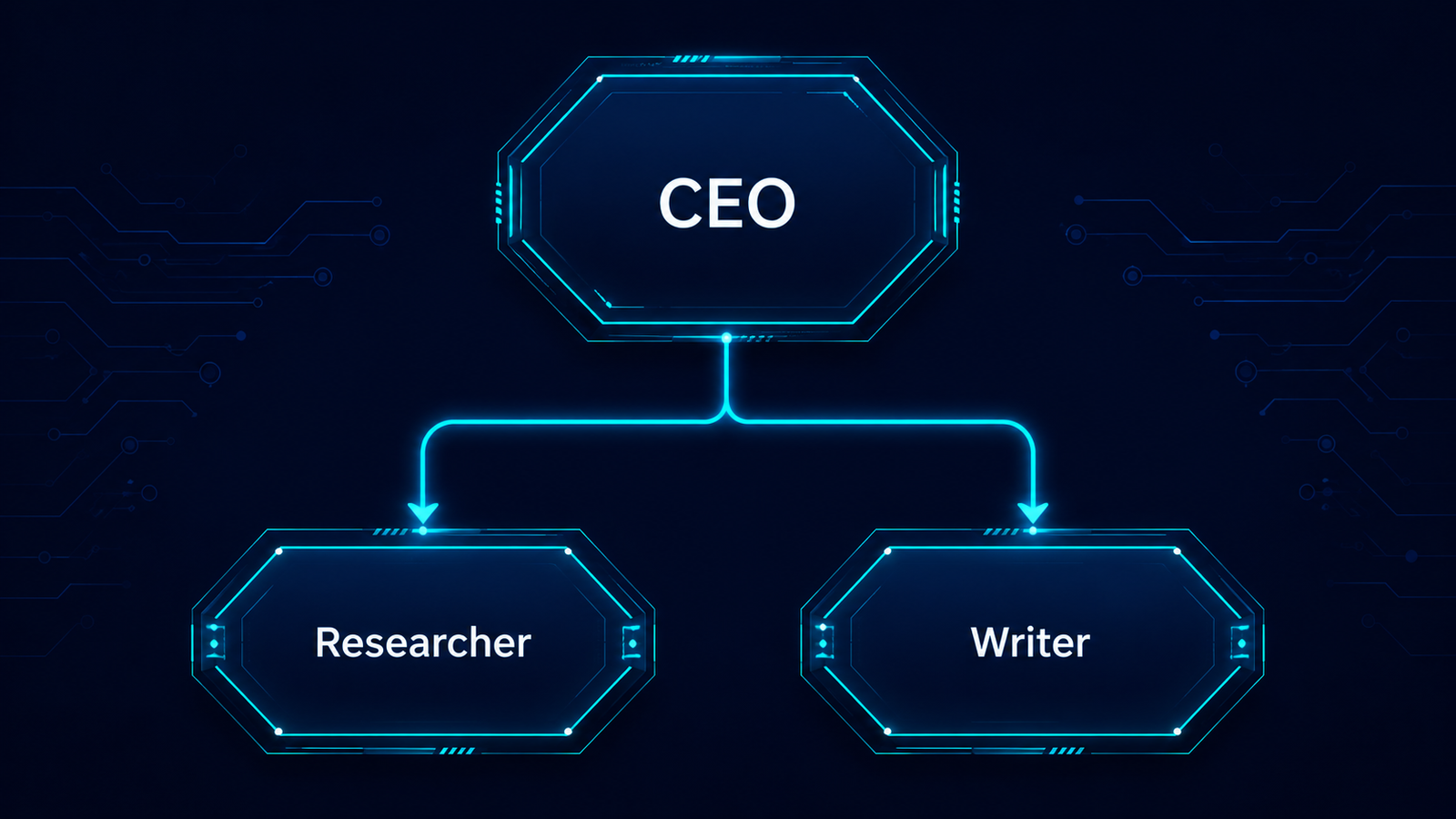
This agent is a three-person content team that runs on autopilot. You give it a topic. A CEO agent receives the request, delegates research to a Researcher agent, hands that research to a Writer agent, and then synthesizes everything into a final output. No human coordination is required between steps.
The task in this build is simple: produce a structured briefing on AI governance trends. The Researcher returns a three-point analysis. The Writer turns that into a 150-word summary. The CEO combines both into the final deliverable.
The equivalent of this pipeline would be delegating a client briefing to two team members and getting a finished document back without a single meeting.
Why I Built This
Every multi-agent framework I have tested so far treats agent communication as a conversation. Agents talk to each other in a shared chat, a group thread, or a sequential handoff. The coordination is real, but the structure can be loose.
Agency Swarm takes a different position. Communication pathways are declared upfront. The CEO can message the Researcher. The CEO can message the Writer. The Researcher cannot message the Writer directly unless you explicitly wire that connection.
The framework does not merely ask the model to behave like an organization. It lets you define the organization.
What Actually Happened
What I expected: I expected Agency Swarm to behave like the other framework examples in this series. Install the package, define a few agents, wire them together, and run the workflow.
What actually happened: the first version of the code used older Agency Swarm patterns that no longer matched the current framework API. Three things had to be fixed.
First, temperature=0.7 could no longer be passed directly into Agent(…).
Second, the old agency_chart=[…] structure no longer worked in Agency Swarm 1.9.8.
Third, the old agency.get_completion(…) call had to be replaced with the current response method.
The final working version uses:
agency = Agency(
    ceo,
    communication_flows=[
        ceo > researcher,
        ceo > writer,
    ],
)
And runs with:
final_output = agency.get_response_sync(topic)
print(final_output.final_output)
I also found one packaging issue: agency-swarm==1.9.8 requires python-dotenv>=1.1.1, so pinning python-dotenv==1.0.1 caused a dependency conflict. The fixed version uses:
agency-swarm==1.9.8
python-dotenv==1.1.1
openai==2.30.0
The last cleanup was removing settings.json from version control. Agency Swarm can generate runtime state, but generated assistant state does not belong in a teaching repo. It makes the project look more complex than the architecture really is.
The Architecture: How It Works
Agency Swarm organizes agents the way a real organization chart works. There is an entry point. In this build, that is the CEO agent. The CEO receives the user’s request. Below the CEO are specialists with defined roles.
The important part is that communication paths are declared in code.
The Communication Flow
The wiring declaration looks like this:
agency = Agency(
    ceo,
    communication_flows=[
        ceo > researcher,
        ceo > writer,
    ],
)
What This Code Is Actually Doing
The first argument, ceo, declares the entry point. That is the agent that receives the user’s initial message.
The communication_flows list declares who can initiate communication with whom.
ceo > researcher
ceo > writer
That means the CEO can send work to the Researcher and the Writer. Nothing else is declared. The Researcher is not wired to the Writer. The Writer is not the entry point. The workflow follows the structure you define.
That is the core lesson of Agency Swarm: the framework makes the team structure visible.
The Agent Definitions
The Researcher agent looks like this:
researcher = Agent(
    name="ResearcherAgent",
    description="Researches topics and provides structured 3-point research briefs",
    instructions=(
        "You are a research assistant. Given a topic, respond with exactly "
        "a 3-point structured research brief. Return only the brief, no additional commentary."
    ),
    model=MODEL,
)
What This Code Is Actually Doing
Each agent has a name, a description, instructions, and a model. The name identifies the agent inside the agency. The description explains what the agent is responsible for. The instructions are the agent’s job description.
The model comes from the environment instead of being hardcoded:
MODEL = os.environ["MODEL"]That keeps the example configurable while staying aligned with how this framework actually runs.
The Build: Step by Step
Step 1: Install Agency Swarm
pip install -r requirements.txtThe requirements file is:
agency-swarm==1.9.8
python-dotenv==1.1.1
openai==2.30.0
Agency Swarm is not included in Python by default. This command installs the framework and its dependencies.
The important detail is the python-dotenv version. Agency Swarm 1.9.8 requires python-dotenv 1.1.1 or newer. If the project pins 1.0.1, pip refuses to install because the dependency instructions conflict.
Step 2: Set Up the Environment
The .env.template file uses:
OPENAI_API_KEY=your-openai-api-key-here
MODEL=gpt-4o-mini
The code loads those values like this:
import os
from dotenv import load_dotenv

load_dotenv()

import openai
from agency_swarm import Agent, Agency

openai.api_key = os.environ["OPENAI_API_KEY"]
MODEL = os.environ["MODEL"]
load_dotenv() reads the .env file and loads the values into the environment. OPENAI_API_KEY gives the OpenAI SDK permission to call the model. MODEL controls which model the agents use.
For this Agency Swarm example, the repo keeps the required configuration to OPENAI_API_KEY and MODEL, which matches the current Agency Swarm/OpenAI-style setup.. That difference is part of the lesson: framework choice can affect infrastructure choice.
Step 3: Define the Agents
The build uses three agents:
researcher = Agent(
    name="ResearcherAgent",
    description="Researches topics and provides structured 3-point research briefs",
    instructions=(
        "You are a research assistant. Given a topic, respond with exactly "
        "a 3-point structured research brief. Return only the brief, no additional commentary."
    ),
    model=MODEL,
)

writer = Agent(
    name="WriterAgent",
    description="Writes a 150-word summary based on a research brief",
    instructions=(
        "You are a writer. You will receive a research brief. Write a formatted "
        "150-word summary capturing the key points. Output only the summary, no extra commentary."
    ),
    model=MODEL,
)

ceo = Agent(
    name="CEOAgent",
    description="CEO agent that coordinates research and writing for content pipeline",
    instructions=(
        "You are a CEO. When a user asks about a topic:\n"
        "1. Send the topic to ResearcherAgent, asking for a 3-point research brief.\n"
        "2. Receive the brief, then send it to WriterAgent, asking for a 150-word summary.\n"
        "3. Combine the research brief and the summary into a final synthesis that includes both the points and the summary.\n"
        "Output the synthesis directly when done."
    ),
    model=MODEL,
)
The Researcher creates the brief. The Writer turns the brief into a summary. The CEO coordinates the process and produces the final output. There are no extra tools, no custom memory layer, and no unrelated routing logic. The point is the communication structure.
Step 4: Wire the Agency
agency = Agency(
    ceo,
    communication_flows=[
        ceo > researcher,
        ceo > writer,
    ],
)
This is the org chart. The CEO is the entry point. The CEO can initiate communication with the Researcher and Writer. Those are the only communication paths declared in this build.
The structure is simple enough to understand at a glance, but still demonstrates the Agency Swarm pattern.
Step 5: Run the Workflow
if __name__ == "__main__":
    topic = "AI governance trends in 2025"
    final_output = agency.get_response_sync(topic)
    print(final_output.final_output)
agency.get_response_sync(topic) triggers the workflow. The CEO receives the topic, delegates to the specialists according to the communication flows, and returns the final synthesis. final_output.final_output prints the actual final answer.
The Result
The successful run produced a structured synthesis covering regulatory developments, ethical considerations, and emerging accountability frameworks for AI governance in 2025.
Then it produced a concise summary combining those ideas into a final executive-style briefing. That is the result I wanted: a small working agent team where the architecture is visible in the code.
Errors I Hit During This Build
Error 1: ModuleNotFoundError: No module named ‘agency_swarm’
Agency Swarm was not installed. The package name uses a hyphen:
pip install agency-swarm
The Python import uses an underscore:
from agency_swarm import Agent
That is a common Python packaging pattern, but it is easy to miss.
Error 2: Dependency Conflict With python-dotenv
The first requirements file used:
python-dotenv==1.0.1
But Agency Swarm 1.9.8 requires:
python-dotenv>=1.1.1
So pip returned a dependency conflict. The fix was:
python-dotenv==1.1.1
Error 3: Deprecated temperature
The first version passed temperature directly into each agent:
temperature=0.7
Agency Swarm 1.9.8 rejects that pattern. The framework now expects temperature to be passed through model settings. For this teaching build, I removed temperature entirely because it is not part of the architecture lesson.
Error 4: Old agency_chart Syntax
The first version used:
agency = Agency(
    agency_chart=[
        ceo,
        [ceo, researcher],
        [ceo, writer],
    ],
)
Agency Swarm 1.9.8 no longer accepts that keyword. The fix was:
agency = Agency(
    ceo,
    communication_flows=[
        ceo > researcher,
        ceo > writer,
    ],
)
This version is actually clearer. It reads like an org chart.
Error 5: Old Completion Method
The first version used:
agency.get_completion(topic)
The current working version uses:
agency.get_response_sync(topic)
And prints:
print(final_output.final_output)
Error 6: Generated settings.json
Agency Swarm generated a settings.json file containing runtime state. That file should not be committed. It is not part of the architecture lesson, and it makes the repo harder to understand.
The fix was to delete it from version control and add:
post-25-agency-swarm/settings.json
Why This Matters
Agency Swarm answers a question every growing organization eventually asks: what happens when you need your AI agents to respect boundaries?
Most multi-agent frameworks delegate coordination to the model. The agents are told to work together, and the model figures out the conversation. That works until the workflow needs a specific sequence, approval chain, or accountability structure.
Agency Swarm makes the structure explicit. The CEO talks to the Researcher. The CEO talks to the Writer. No other pathway exists unless you declare it.
For regulated workflows, client delivery pipelines, audit trails, or any situation where process order matters, that explicitness is not decoration. It is the point.
The lesson from this build is not that Agency Swarm should replace every other framework. The lesson is sharper than that: use Agency Swarm when the org chart matters. Use a lighter framework when provider flexibility, minimal dependencies, or stateless execution matter more.
The strongest architecture is not the one with the most features. It is the one whose constraints match the job.
Tools Used
Agency Swarm: github.com/VRSEN/agency-swarm
python-dotenv: github.com/theskumar/python-dotenv
OpenAI Python SDK: github.com/openai/openai-python
OpenAI-compatible model configuration through environment variables
Keep reading in this series
Previous build: #24 AutoGen: Three Ways AI Agents Talk to Each Other
Next build: #28 Explainable AI Agent: Show Your Work
All 56 builds: 50+ Agent Patterns & Builds
(c) 2026 NosisTech LLC. Licensed under CC BY 4.0. Use freely, just credit us.