
Disclaimer: This article documents a personal technical experiment on my own infrastructure. Configurations reflect my specific environment and should not be treated as security advice or guaranteed protection. Always validate independently and consult qualified security professionals before implementing any security measure. NosisTech LLC accepts no liability for outcomes arising from use of this content.
Most building automation systems require a lot of attention, with good reason. They follow fixed rules someone programmed years ago, and they follow those rules whether the rules make sense today or not. A thermostat hits a temperature limit and triggers cooling. It does not know the room is empty, whether the CO2 level is fine, or whether the same trigger happened repeatedly yesterday. It just runs the rule.
The result is an agent that behaves like a junior building engineer in a controlled simulation: it measures, it decides, it explains, and it logs everything for audit. In this build, all of that runs against simulated sensor data. No physical equipment is connected at any point.
What This Agent Does
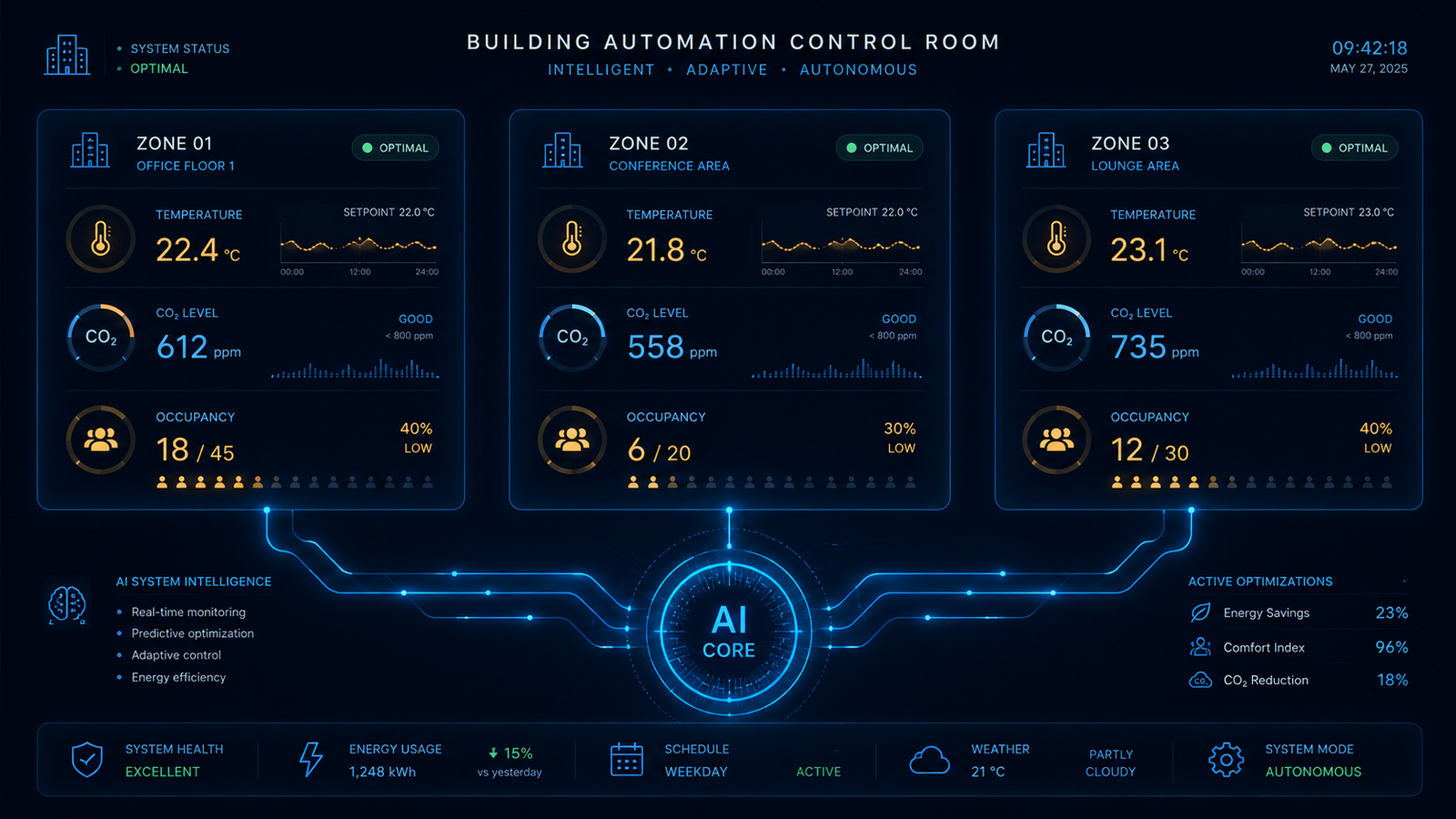
The Physical World Sensing Agent monitors a simulated commercial building by generating sensor readings across facility zones. For each zone it tracks temperature, CO2 levels, and occupancy. Then it makes two kinds of decisions entirely in Python: what the HVAC status should be, and whether ventilation should increase.
Imagine a facilities assistant walking through a building with a clipboard. In every room, they write down the temperature, CO2 level, and how many people are inside. Then they compare those readings against the building rules. If the room is too cold, heat. If it is too hot, cool. If the CO2 is too high, increase ventilation. If everything is within bounds, leave it alone.
That is what the Python code does. The AI model does not control the building. It only writes the facilities report after Python has already made the decisions. A facilities manager might see a report saying the server room is above its configured temperature range and cooling is active. The decision to cool came from Python. The explanation came from the model. They are separate layers by design.
Why I Built This
The moment an agent’s decisions can affect physical equipment, the consequences of a wrong output change completely. A bad equipment command in a facility can create downtime, damaged hardware, safety concerns, or financial loss.
A process engineer I spoke with described a scenario from a latex production facility where automated temperature control signals sent outside safe operating bounds caused a batch reactor to approach conditions that required emergency shutdown. No data was lost. No one was hurt. But the cost of that single event, in lost product, downtime, and investigation, ran into six figures. The automated system was following its instructions exactly. The instructions were wrong. That conversation shaped how I approached this build.
The architecture I settled on keeps the AI entirely out of the control loop. Python computes every HVAC command using deterministic rules against configurable bounds. The AI reads the results and writes the report. It never touches the decision.
In a real industrial deployment, an additional validation layer would sit between the computed command and the hardware call, checking every output against a safety envelope before anything reaches the equipment. This build does not include that layer. A qualified controls engineer would need to design it for any specific facility.
What this build demonstrates is the architectural separation that makes that validation layer possible to add cleanly.
Nothing in this post should be read as guidance for implementing automated control systems in any industrial, commercial, or regulated environment. The build documented here runs against simulated sensor data on a development machine. It has never been connected to physical HVAC equipment, industrial actuators, or any building management system.
What Actually Happened
What actually happened: the simplified repo became much clearer after removing proportional control, deadband logic, CO2 severity tiers, and extra dependencies. The current version teaches the core pattern directly: sense, decide, narrate, log.
What broke: during verification, the first run completed one cycle and then the second model call timed out. After increasing the HTTP timeout to 120 seconds, the next run hit a transient connection reset from the LiteLLM endpoint.
The fix was small: keep the agent simple, but give the model call one retry after a short pause. After that, the default multi-cycle run completed successfully.
What surprised me: the strongest teaching point was not the HVAC logic itself. It was the separation between the decision layer and the explanation layer. Once that boundary is clear, the whole system becomes easier to reason about.
What I would change next: I would add a command safety envelope before connecting anything like this to real hardware. A safety envelope is a final rule layer that checks every command against absolute limits before it can reach equipment.
Why this matters: physical-world agents need visible boundaries. The model can explain. Python can decide. A real deployment would need another independent safety layer before any command touched equipment.
The Architecture: How It Works
The agent has four layers that run in order. First, it loads zone configuration from a file. Second, it simulates sensor readings for each zone. Third, Python applies deterministic control rules. Fourth, the model turns the completed cycle into a facilities report. After that, the whole cycle is appended to a JSONL audit log.
Think of it like a hospital chart. The nurse records the vitals. The doctor applies the medical rules. The administrator writes the summary. The archive stores the record. You do not want the administrator inventing the vitals or deciding the treatment. Their job is to make the record understandable.
That is the architecture here. The sensor simulation creates the readings. The decision engine creates the commands. The model writes the report. The log stores the evidence.
The Core Components
Zone configuration file. The building layout lives in zone_config.yaml. Each zone has target temperature values, CO2 limits, and maximum occupancy. The current repo uses a small custom parser instead of PyYAML, which keeps the project dependency-free.
Sensor simulation. The agent generates fake readings using Python’s standard random module. It creates temperature, CO2, and occupancy values for each configured zone. In a real project, this function would be the part replaced by a sensor API. The rest of the architecture could stay the same.
Deterministic control rules. The decision logic uses simple rules. If temperature is below the minimum, return heat. If it is above the maximum, return cool. Otherwise, return none. If CO2 is above the warning limit, increase ventilation. Otherwise, keep ventilation normal.
Model narration. The AI model receives the completed sensor and control data and writes a concise report for a facilities manager. It is translating the record, not deciding the action.
JSONL audit logging. Every cycle gets written to a JSONL file. JSONL means each line is one complete JSON record. Think of it like a notebook where every cycle gets its own line: timestamp, readings, controls, and report. That creates an audit trail showing what the agent saw, what it decided, and what it said.
The Model-Agnostic Layer
Every model call routes through a LiteLLM-compatible HTTP endpoint. The agent does not need to know which provider is behind that endpoint. It reads the base URL, model name, and API key from environment settings.
The code does not import the OpenAI SDK. It does not import the LiteLLM Python package. It builds a JSON request directly with Python’s standard library and sends it to the configured endpoint.
That keeps the agent small. The repo has no Python package dependencies. The control logic, simulation, model call, and logging all run with the standard library.
The Build: Step by Step
Step 1: Define the project root and required settings
ROOT = Path(__file__).resolve().parent

REQUIRED_ENV = (
    "LITELLM_BASE_URL",
    "MODEL_NAME",
    "LITELLM_API_KEY",
    "ZONE_CONFIG_PATH",
    "SENSOR_LOG_PATH",
)
This gives the script a stable project folder and a startup checklist. The project folder matters because paths like zone_config.yaml and sensor_log.jsonl are relative to the post folder. The required settings make sure the agent has the endpoint, model, API key, zone config path, and log path before it starts.
Step 2: Load environment values
def load_env():
    env_file = ROOT / ".env"
    if not env_file.exists():
        return

    for line in env_file.read_text(encoding="utf-8").splitlines():
        line = line.strip()
        if line and not line.startswith("#") and "=" in line:
            key, value = line.split("=", 1)
            os.environ.setdefault(key.strip(), value.strip())
This function reads the .env file. Think of .env as the agent’s settings card. It tells the agent which model endpoint to use, where the zone configuration lives, where the sensor log should be written, and how many simulation cycles to run.
Step 3: Validate startup settings
missing = [key for key in REQUIRED_ENV if not os.getenv(key)]

if missing:
    raise SystemExit(f"Missing environment variables: {', '.join(missing)}")
Startup validation happens inside main(). Before the agent simulates a single reading or calls a model, it checks that the required settings exist. If something is missing, the agent stops and tells you exactly what value is missing.
Step 4: Load the zone configuration
def load_zones():
    zones, current = {}, None

    for raw in local_path(os.getenv("ZONE_CONFIG_PATH")).read_text(
        encoding="utf-8"
    ).splitlines():
        line = raw.split("#", 1)[0].rstrip()

        if not line:
            continue

        if not line.startswith(" ") and line.endswith(":"):
            current = line[:-1]
            zones[current] = {}
        elif current and ":" in line:
            key, value = line.strip().split(":", 1)
            zones[current][key] = float(value)

    return zones
This function reads zone_config.yaml and turns it into a Python dictionary. Each zone name becomes a label, and the zone’s temperature, CO2, and occupancy rules become values under that label.
The parser also ignores comments and blank lines. That means the configuration file can stay readable for humans while still being simple enough to parse without adding PyYAML.
Step 5: Simulate sensor readings and controls
def simulate(zone, config):
    target = (config["target_temp_min"] + config["target_temp_max"]) / 2
    occupancy = random.randint(0, int(config["max_occupancy"]))

    reading = {
        "zone": zone,
        "temperature": round(random.uniform(target - 3, target + 3), 1),
        "co2": random.randint(400, 700 + occupancy * 60),
        "occupancy": occupancy,
    }

    controls = {
        "hvac": (
            "HEAT"
            if reading["temperature"] < config["target_temp_min"]
            else "COOL"
            if reading["temperature"] > config["target_temp_max"]
            else "NONE"
        ),
        "ventilation": (
            "INCREASE"
            if reading["co2"] > config["co2_limit_warning"]
            else "NORMAL"
        ),
    }

    return {"reading": reading, "controls": controls}
This function does two jobs. First, it creates fake sensor readings for one zone. It calculates the middle of the target temperature range, then generates a temperature a few degrees above or below that midpoint. It also generates occupancy and CO2 values.
Second, it applies the control rules. Too cold means heat. Too hot means cool. Inside the range means no HVAC change. CO2 above the warning limit means increase ventilation.
The important part is that no AI is involved here. The rules are clear, visible, and repeatable.
Step 6: Ask the model for the facility report
def ask_model(cycle):
    body = json.dumps(
        {
            "model": os.getenv("MODEL_NAME"),
            "messages": [
                {
                    "role": "user",
                    "content": (
                        "You are a facilities assistant. Turn this sensor/control "
                        "data into a concise report for a facilities manager. "
                        "Output the report only.\n\n"
                        + json.dumps(cycle, indent=2)
                    ),
                }
            ],
            "temperature": 0.2,
        }
    ).encode("utf-8")

    request = Request(
        os.getenv("LITELLM_BASE_URL").rstrip("/") + "/chat/completions",
        data=body,
        headers={
            "Authorization": "Bearer " + os.getenv("LITELLM_API_KEY"),
            "Content-Type": "application/json",
        },
    )

    for attempt in range(2):
        try:
            with urlopen(request, timeout=120) as response:
                data = json.loads(response.read().decode("utf-8"))
            return data["choices"][0]["message"]["content"].strip()
        except Exception:
            if attempt:
                raise
            time.sleep(2)
The model receives the readings and the control decisions that Python already made. The model is not asked what to do. It is asked to explain what happened.
The model call uses a 120-second timeout and one retry. That keeps the demo resilient when the local LiteLLM endpoint has a transient reset, while still keeping the code small.
Step 7: Run a complete cycle and append the audit log
def run_cycle(zones):
    cycle = {
        "timestamp": time.time(),
        "zones": [simulate(zone, config) for zone, config in zones.items()],
    }

    cycle["report"] = ask_model(cycle)

    log_path = local_path(os.getenv("SENSOR_LOG_PATH"))
    log_path.parent.mkdir(parents=True, exist_ok=True)
    log_path.open("a", encoding="utf-8").write(json.dumps(cycle) + "\n")

    return cycle
This function ties the workflow together. For every zone, it simulates a reading and decides the controls. Then it creates one cycle record with the timestamp and all zone results.
After that, it asks the model to write the report, appends the full cycle to the audit log, and returns the finished record. This is the whole agent in one loop: sense, decide, narrate, log.
Errors I Hit During This Build
The older version of this article included infrastructure-specific errors around remote proxy routing, streaming behavior, and provider output quirks. Those details no longer match the simplified repo and should not be treated as part of the current implementation.
The simplified repo has a cleaner set of likely failure points. Missing environment variables are caught at startup. If LITELLM_BASE_URL, MODEL_NAME, LITELLM_API_KEY, ZONE_CONFIG_PATH, or SENSOR_LOG_PATH is missing, the agent stops and lists the missing value.
A missing zone configuration file will prevent the agent from loading zones. The fix is to make sure ZONE_CONFIG_PATH points to the correct config file for the environment.
A model endpoint connection issue can still affect the report generation step. During verification, one run completed the first cycle and then failed on the second model call. The fix was to increase the timeout and add one small retry around the model request. The important architectural point is that Python makes the control decisions before the model writes the report. If the model call fails, the reporting layer is the part that needs attention, not the deterministic decision rules.
What I Would Do Differently
The most important missing layer in this build is a command safety envelope. Right now, the simulated agent computes simple HVAC and ventilation commands based on the configured rules. In a real system, another independent layer would need to check every command against absolute safety limits before anything reached equipment.
Think of it like an experienced supervisor standing next to a new employee. The employee may follow the checklist correctly, but the supervisor still has authority to stop an action that looks unsafe in the real world. A safety envelope is that supervisor in software form.
The second gap is trend awareness. This agent looks at the current cycle. It does not yet ask whether a zone is getting hotter over time, whether CO2 has been climbing for an hour, or whether a server room is drifting toward a future problem.
That would be the next layer. The JSONL log already stores the history needed to build it. A future version could read the last several cycles and detect trends before a threshold is crossed.
The third gap is real validation. This build is a simulation, and that is exactly where this kind of architecture belongs until qualified professionals design the safety, legal, operational, and compliance layers around it.
What This Means
A mid-size company managing a commercial building or data center space typically has one of two options: a proprietary building management system that costs tens of thousands to install and requires vendor support for every configuration change, or a manual monitoring process that depends on someone noticing a problem before it becomes expensive.
This build is not a third option. It is a working example of what a third option could look like, built in a controlled simulation environment to demonstrate the architecture. Anyone considering something like this for a real facility would need to work with qualified engineers, legal advisors, and compliance professionals to design a system that meets the specific regulations, safety standards, and operational requirements of their industry. What I am sharing here is the thinking, not the blueprint.
With that said, the pattern this build demonstrates, separating sensor input, deterministic control logic, and reporting into three independent layers, is worth understanding regardless of what you build next. The configuration lives in a file anyone can read. The decisions are logged in a format any auditor can open. The AI model can be changed without touching the code. Those are architectural principles, not product features, and they apply well beyond building automation.
For a company running a small data center, one avoided thermal event makes the cost of implementation look trivial. But the same pattern shows up in places that have nothing to do with HVAC.
An AI inference startup running GPU clusters on tight margins could use this architecture to monitor power draw and thermal output across racks, catching a cooling inefficiency before it throttles performance or triggers a hardware fault that voids a warranty.
A vertical farming operation growing crops in controlled indoor environments could apply the same sensor, decide, report loop to CO2 levels, humidity, and lighting cycles, assisting a technician walking the floor with a structured log and a daily summary.
A biotech company running cell culture incubators, where a two-degree temperature deviation can ruin a batch worth tens of thousands of dollars, could use this pattern as the foundation for a monitoring layer that sits alongside, not instead of, their validated equipment systems, logging every reading and every anomaly for regulatory review.
None of these are deployments I am suggesting you build from this post. All of them would require domain expertise, regulatory compliance work, and professional validation far beyond what a blog post can provide. What this post gives you is the architectural vocabulary to have that conversation with the right people.
Tools Used
- NosisTech Agent Engineering (MIT): github.com/nosistech/agent-engineering
Keep reading in this series
Previous build: #16 Marketing Content Agent: Built-In Brand Compliance
Next build: #18 Langflow: I Built a Flow
All 56 builds: 50+ Agent Patterns & Builds
(c) 2026 NosisTech LLC. Licensed under CC BY 4.0. Use freely, just credit us.