
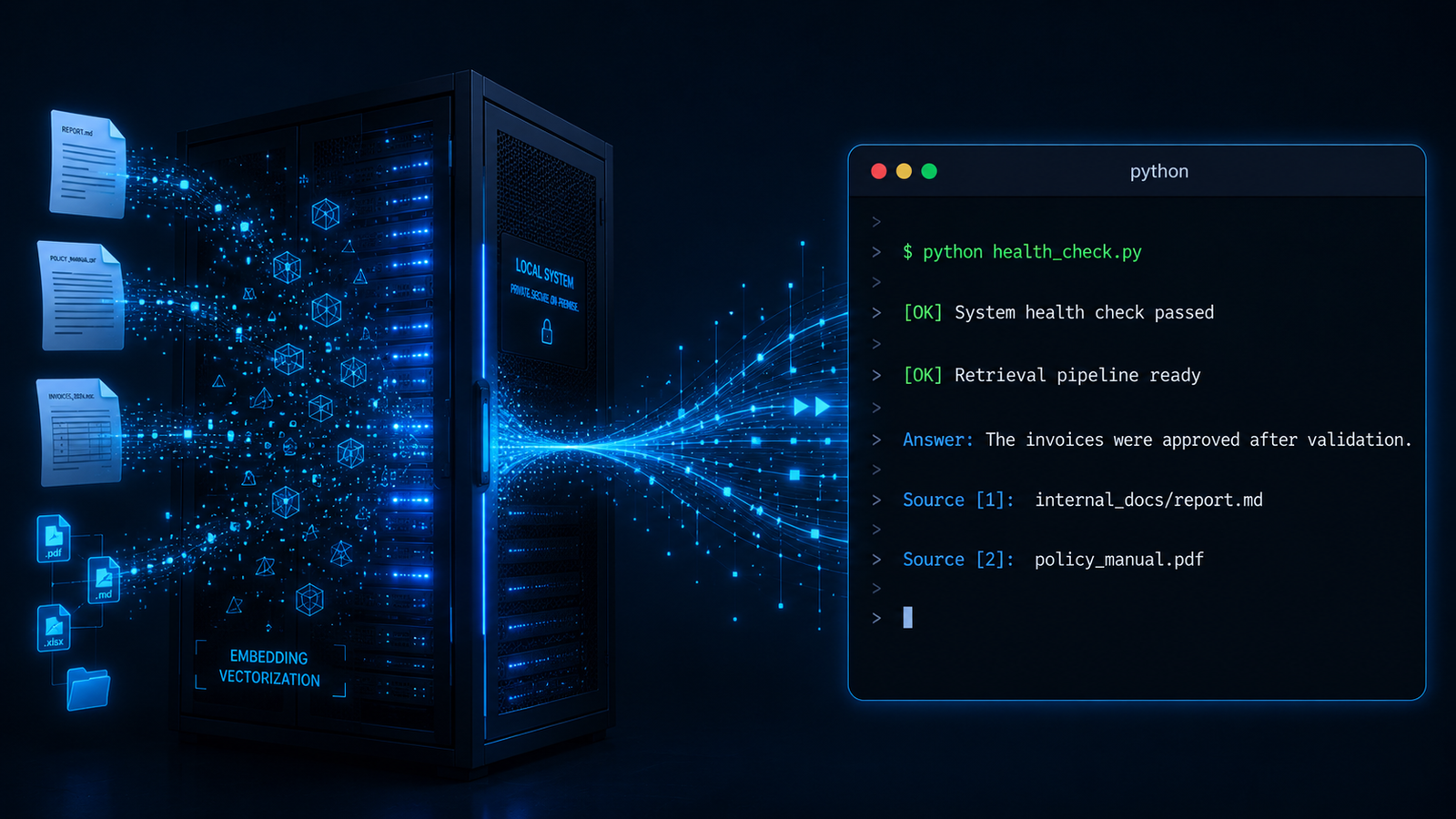
Most AI tools have a data problem. You ask a question, your documents may travel through infrastructure you do not fully control. For a business handling client contracts, financial records, or internal policy documents, that is not a theoretical concern.
What This Agent Does
AnythingLLM is a self-hosted platform that stores your internal documents in a searchable vector database. When someone asks a question, it retrieves the exact relevant passages from those documents and uses them as the factual basis for its answer. It cites its sources. When the workspace and model are configured correctly, it can ground answers in retrieved document context and return source citations.
The Python client built wraps the AnythingLLM API with three operations: a health check, a workspace query that returns the answer with source citations, and recent chat history retrieval. Every operation runs against your own infrastructure. Privacy depends on how your AnythingLLM instance, vector database, embedder, LiteLLM proxy, and model provider are configured.
Why Build This
Every agent in this series needs access to knowledge. The early builds in Block 1 answered questions from their training data. Block 2 changes that. An agent that can only answer from what it was trained on is useful for general tasks. An agent that can answer from your specific documents is useful for your specific business.
The gap I kept running into was this: building a RAG pipeline from scratch is a serious engineering undertaking. RAG stands for Retrieval-Augmented Generation. It is the technique that forces an AI to read your actual documents before answering, rather than making things up from its training. The problem is that setting it up yourself requires three separate systems working together: a vector database to store your documents in searchable form, an embedding model to convert document text into that searchable form, and a retrieval pipeline to connect a user’s question to the right document passages. Most tutorials assume you have all three already configured before you write a single line of agent code. For a non-technical founder or a developer new to AI, that is a wall.
AnythingLLM eliminates that wall. It is a free, open source application you download and run on your own computer. Open source means the entire codebase is publicly available, maintained by a community of developers, and licensed in a way that gives you complete ownership of your deployment. You can inspect every line of code it runs. You can modify it however your use case requires. You can deploy it on your own server, your own laptop, or your own infrastructure, and nobody has a claim on your data or your configuration.
What was missing was a clean Python client that lets any agent in this series talk to AnythingLLM programmatically, meaning through code rather than through clicking buttons in a user interface. Without that client, every interaction with AnythingLLM requires a human sitting at a keyboard. With it, any agent can query your document knowledge base automatically and retrieve answers with source citations, without human intervention, while keeping data movement governed by your AnythingLLM, embedder, LiteLLM, and model-provider configuration.
I built that client here. Everything in this post is built around open source, self-hosted components, with model routing controlled by your configuration. I am documenting what I built and how I built it. How you implement it in your own environment is your decision and your responsibility. NosisTech LLC accepts no liability for outcomes arising from use of this content.
What Actually Happened
What I expected: A straightforward API client that connects, queries, and returns citations.
What actually happened: The health check stopped the agent cold with a 404 error, which means “the address you are looking for does not exist.” The general AnythingLLM documentation points to one endpoint address for health checks, but the actual desktop application uses a different one. An endpoint is just a specific URL path the API listens on, like a door in a building. I had the right building, confirmed by running a network command in PowerShell that showed exactly which port the application was listening on, but I was knocking on the wrong door. Once I identified the correct endpoint path through testing, the health check passed immediately. The fix was a one-line change in the code.
What broke: AnythingLLM first returned a provider-side “Connection error.” The health check passed, which proved the API key and AnythingLLM instance were reachable, but the workspace query failed because the LLM provider settings inside AnythingLLM were not pointed at the working LiteLLM proxy. Once the LiteLLM base URL was corrected to localhost:4000 and the deepseek-v4-pro model was selected, the API query succeeded.
What surprised me: Uploading a document and making it queryable are two completely separate steps in AnythingLLM, and nothing tells you this until you hit the wall. When you upload a file, it goes into a document library, which is like a filing cabinet in the hallway. The agent cannot read from the hallway. It can only read from its own workspace. To make the document queryable, you have to move it from the filing cabinet into the workspace and then trigger a process called embedding, which converts the document text into the mathematical format the vector database understands and stores it so the agent can search it. The upload succeeded and returned a success confirmation. The vector database showed zero documents. Both things were true at the same time because they are independent operations. Once I moved the document into the workspace and clicked Save and Embed, the vector count updated and the agent returned a cited answer on the next query.
Why this matters: These two friction points, the endpoint discrepancy and the two-step embedding process, are exactly what trips up every developer who tries to integrate AnythingLLM programmatically for the first time. Documenting them here saves hours.
The Architecture: How It Works
AnythingLLM runs as a local application on your machine. It starts a backend server that exposes a REST API, the same kind of API that web applications use to communicate between a browser and a server. The Python client talks to that API using the requests library, which is Python’s standard tool for making HTTP calls.
The data flow works in three stages. First, documents go in: you upload a file, AnythingLLM reads it, breaks it into chunks, converts each chunk into a vector (a list of numbers that represents the meaning of that chunk), and stores those vectors in a local database called LanceDB. Second, a question comes in: the Python client sends a question to the workspace, AnythingLLM converts that question into a vector, searches the database for chunks whose vectors are mathematically close to the question vector, and retrieves the most relevant passages. Third, an answer comes out: AnythingLLM sends those retrieved passages to DeepSeek via the LiteLLM proxy, asks it to formulate an answer based only on those passages, and returns the answer along with the names of the source documents.
The Core Components
The requests library handles all HTTP communication between the Python client and the AnythingLLM API. It is Python’s standard tool for talking to web services, lightweight and dependency-free.
The LiteLLM proxy sits between AnythingLLM and the AI model provider. AnythingLLM is configured to send its language model calls through LiteLLM rather than directly to DeepSeek or any other provider. This means swapping the model requires changing one line in AnythingLLM’s settings, not touching the Python client at all. Ideally my recommendation would be to use your own local model.
LanceDB is the vector database that AnythingLLM uses internally to store document embeddings. It runs entirely on your local machine. No data is synchronized to an external service.
The AnythingLLM Embedder converts document text and questions into vectors locally, using a model that runs inside the AnythingLLM application itself. No embedding API calls leave your machine.
The Model-Agnostic Layer
AnythingLLM is configured to route all language model calls through the LiteLLM proxy running on the VPS. The Python client does not call any AI model directly. It calls the AnythingLLM API, and AnythingLLM handles the model call internally through LiteLLM. Swapping from DeepSeek to Gemini Flash requires changing the model selection in AnythingLLM’s settings panel. The Python client code does not change.
The Build: Step by Step
The client starts with an environment variable check. Before making any API call, it reads the three required variables and exits with a plain-English message if any are missing.
REQUIRED_VARS = ["ANYTHINGLLM_BASE_URL", "ANYTHINGLLM_API_KEY", "ANYTHINGLLM_WORKSPACE"]

def load_config():
    missing = [name for name in REQUIRED_VARS if not os.getenv(name)]
    if missing:
        print("Missing required environment variables: " + ", ".join(missing))
        sys.exit(1)

    return {
        "base_url": os.getenv("ANYTHINGLLM_BASE_URL").rstrip("/"),
        "api_key": os.getenv("ANYTHINGLLM_API_KEY"),
        "workspace": os.getenv("ANYTHINGLLM_WORKSPACE"),
    }
What This Code Is Actually Doing
Before the client attempts a single network call, it checks that the three pieces of information it needs are present: where AnythingLLM is running, the key that proves it is authorized to use it, and which workspace to query. If any of these are missing, it prints exactly which ones are absent and stops cleanly. This prevents a confusing failure message from the API later that would be harder to diagnose. Think of it as checking your keys, wallet, and phone before leaving the house rather than discovering one is missing when you need it.
The health check runs next, hitting the authentication endpoint to confirm the instance is reachable and the API key is valid before any real work begins.
def check_health(config):
    response = request_anythingllm(config, "GET", "/api/v1/auth")
    if response.status_code != 200:
        raise RuntimeError(f"Health check failed with status {response.status_code}: {response.text[:300]}")
    print("Health check passed. AnythingLLM is reachable and the API key works.")
What This Code Is Actually Doing
This function sends a single GET request to the AnythingLLM authentication endpoint. A 200 response means the server is running and the API key is accepted. Any other response means something is wrong with the URL or the key, and the client exits immediately with a plain-English message. The try/except block catches network failures, like the server not running at all, and turns them into a readable message rather than a Python stack trace. This is the fail-fast pattern: detect problems at the earliest possible moment before any consequential work begins.
The workspace query function sends a question and parses the response for both the answer text and the source document names.
def query_workspace(config, question):
    if not question.strip():
        raise ValueError("Question cannot be empty.")

    path = f"/api/v1/workspace/{config['workspace']}/chat"
    response = request_anythingllm(
        config,
        "POST",
        path,
        json={"message": question, "mode": "query"},
    )
    if response.status_code != 200:
        raise RuntimeError(f"Workspace query failed with status {response.status_code}: {response.text[:300]}")

    data = response.json()
    sources = []
    for source in data.get("sources", []):
        sources.append(source.get("title") or source.get("source") or source.get("filename", "unknown"))
    return data.get("textResponse", ""), sources
What This Code Is Actually Doing
This function sends the question to the workspace chat endpoint and parses two things from the response: the answer text and the list of source documents that were used to generate it. The sources list is where the citation information lives. Each source entry in the API response can use different field names depending on the document type, so the code checks three possible field names in order and takes the first one it finds. If no sources come back, it prints a note explaining that the answer was generated without document retrieval, which tells the operator to check whether the document is properly embedded in the workspace. This transparency about confidence level is what separates a production-grade client from a demo script.
The document upload function validates the file exists locally before attempting any network call, then posts it to the AnythingLLM document library.
def upload_document(file_path: str) -> bool:
    """Upload a file to the workspace for indexing."""
    if not os.path.isfile(file_path):
        print("Error: File not found. Please check the path and try again.")
        return False

    url = f"{BASE_URL}/api/v1/document/upload"
    with open(file_path, "rb") as f:
        files = {"file": (os.path.basename(file_path), f)}
        resp = _retry_request("post", url, files=files)

    if resp.status_code == 200:
        print(f"Upload succeeded. {os.path.basename(file_path)} uploaded to workspace {WORKSPACE_SLUG}.")
        return True
    else:
        try:
            reason = resp.json().get("error", resp.text)
        except Exception:
            reason = resp.text
        print(f"Upload failed. Server response: {reason}")
        return False
What This Code Is Actually Doing
Before touching the network, this function checks that the file actually exists at the path provided. If it does not, it returns False immediately with a clear message rather than sending a malformed request to the API. When the file exists, it opens it in binary mode and sends it as a multipart form upload, which is the standard way web applications receive file uploads. The os.path.basename() call extracts just the filename from the full path so that internal directory structures are never exposed in logs or printed output. If the upload fails, it attempts to extract a human-readable error message from the API response rather than printing raw HTTP status codes.
All network calls go through request_anythingllm(), which adds the API key, applies a 120-second timeout, retries temporary network issues, and backs off on 429 rate limits.
def request_anythingllm(config, method, path, **kwargs):
    url = f"{config['base_url']}{path}"
    headers = {"Authorization": f"Bearer {config['api_key']}"}

    for attempt in range(3):
        try:
            response = requests.request(method, url, headers=headers, timeout=120, **kwargs)
            if response.status_code != 429:
                return response
            wait_seconds = 2 ** (attempt + 1)
            print(f"Rate limit hit. Retrying in {wait_seconds} seconds.")
            time.sleep(wait_seconds)
        except requests.RequestException as error:
            if attempt == 2:
                raise RuntimeError(f"Cannot reach AnythingLLM at {config['base_url']}: {error}")
            wait_seconds = 2 ** (attempt + 1)
            print(f"Network issue. Retrying in {wait_seconds} seconds.")
            time.sleep(wait_seconds)

    raise RuntimeError("AnythingLLM rate limit persisted after retries.")
What This Code Is Actually Doing
Every API call in this client goes through request_anythingllm() instead of calling requests directly. The function adds the API key, applies a 120-second timeout, retries temporary network errors, and backs off when AnythingLLM returns a 429 rate-limit response. The wait time doubles with each attempt: 2 seconds, then 4, then 8. This keeps the client small while still handling common API failures cleanly.
Errors I Hit During This Build
Health check returned 404 The error message was “Health check failed. Status 404.” The AnythingLLM desktop application does not expose a /api/health endpoint as the general documentation suggests. The working authentication endpoint is /api/v1/auth. Fixed by changing the health check URL in the code to the correct endpoint path.
Documents uploaded but queries returned no results After a successful upload the query still returned “no relevant information.” The root cause was that uploading a document via the API places it in the AnythingLLM document library but does not automatically embed it into the workspace vector database. The Vector Database tab in workspace settings confirmed Vector Count was 0. Fixed by opening the document management panel in the AnythingLLM UI, moving the document into the workspace, and clicking Save and Embed. The Vector Count updated to 1 and subsequent queries returned cited answers.
Provider connection error: The API health check passed, but the workspace query returned a provider-side Connection error. The fix was inside AnythingLLM settings: point the LiteLLM provider to http://localhost:4000 and select deepseek-v4-pro. After that, query mode worked and returned a cited answer. In the verified run, the client connected to workspace my-workspace, passed the /api/v1/auth health check, asked “What is NosisTech’s data handling policy?”, returned the expected answer, and cited test_doc.txt as the source.
Why This Matters
The question everyone asks when they hear about AI document intelligence is the same: where does my data go?
With every hosted RAG solution, the answer involves some version of “to our servers, under our terms of service.” For a law firm, that means client privileged communications traveling to a third-party data center. For a healthcare provider, that means patient records touching infrastructure governed by someone else’s security team. For a financial advisory practice, that means portfolio strategies and client net worth figures sitting in a database you cannot audit. For any organization handling confidential information, that answer ends the conversation before it starts.
The same problem applies to startups building on sensitive data. A legal tech startup processing court documents and case strategy. A healthtech company storing intake forms and clinical notes. A fintech building personalized investment tools for high-net-worth clients. An HR platform holding compensation data and performance reviews. A cybersecurity firm whose internal threat intelligence is itself a competitive asset. Every one of these businesses has the same core tension: they need AI to work smarter, but they cannot afford to hand their most sensitive data to a third party and hope for the best.
AnythingLLM can change the answer when it is deployed with a local vector database, local embedder, and a controlled model route. Your documents stay on your machine. Your questions stay on your machine. The only external call is to your LiteLLM proxy, which you control, routing to whichever model provider you have configured. If you go one step further and switch to a local Ollama model for inference, nothing leaves your machine at all. Every part of the pipeline, the document storage, the embedding, the retrieval, and the language model response, runs on your own hardware.
I want to make a comment about what this means and what it does not mean. Self-hosted does not mean automatically secure. Security is not a destination you arrive at by installing the right software. It is an ongoing discipline. The tools in this post are tested with my personal setup and settings. AnythingLLM in particular has done serious work to make private deployment accessible to everyone. But no tool, however well designed, eliminates the need for qualified security professionals reviewing your deployment, assessing your threat model, and updating your posture as technology evolves. Attackers adapt. Vulnerabilities surface in dependencies. Configuration mistakes happen. What self-hosting gives you is control and visibility, the ability to know where your data is and to apply the right protections for your specific situation. What it does not give you is a guarantee. Anyone who promises you a guarantee is selling something. Treat these tools as a strong foundation and invest in the ongoing professional assessment that keeps that foundation sound.
With that said, here is the practical value for everyone. You can give your team an AI assistant that knows your internal documentation, your policies, your client files, and your standard operating procedures, with data movement governed by your own AnythingLLM, embedder, LiteLLM, and model-provider configuration. The assistant cites its sources. It tells you which document the answer came from so your team can verify it rather than taking the AI’s word for it. When a document is updated, you re-embed it and the assistant immediately reflects the change. No retraining. No waiting. No support ticket to a vendor.
To make this concrete without overpromising: imagine the kinds of workflows where your team constantly searches internal documents for answers. Contract reviews. Policy lookups. Internal process guides. Onboarding materials. Technical documentation. Customer support references. In every one of those cases, the pattern is the same. Someone needs an answer that already exists somewhere in your organization’s knowledge base. Today they search manually, find the wrong version, or ask a colleague who might also be wrong. An AI assistant connected to your actual documents, running on your own infrastructure, changes that workflow while keeping document access under your deployment controls.
These are illustrative scenarios, not capability guarantees. Every implementation is different. Regulated industries including legal, healthcare, and financial services have specific compliance requirements that go well beyond the architecture described in this post. If you are building in one of those sectors, qualified legal and compliance professionals need to be part of the conversation before any AI system touches sensitive data. What I can say from my own build and testing is that the foundation works, the privacy-aware architecture is real, and the pattern can scale with the right configuration. What you build on top of it is your decision and your responsibility.
The competitive advantage is not the AI itself. The AI is available to everyone. The advantage is that your AI knows things your competitors’ AI does not, because it runs on your knowledge, on your infrastructure, answering only to you.
Tools Used
AnythingLLM (MIT): github.com/Mintplex-Labs/anything-llm
LiteLLM (MIT): github.com/BerriAI/litellm
NosisTech Agent Engineering (MIT): github.com/nosistech/agent-engineering
Keep reading in this series
Previous build: #11 Letta MemGPT: I Built an AI That Never Forgets
Next build: #13 Memory, Knowledge, Tools: The Phidata Architecture
All 56 builds: 50+ Agent Patterns & Builds
(c) 2026 NosisTech LLC. Licensed under CC BY 4.0. Use freely, just credit us.