
When a customer submits a support ticket, someone or something has to make a judgment call: is this routine enough to handle automatically, or does it need a human? I wanted that judgment call to happen instantly, consistently, and without involving a person for every single request.
What This Agent Does
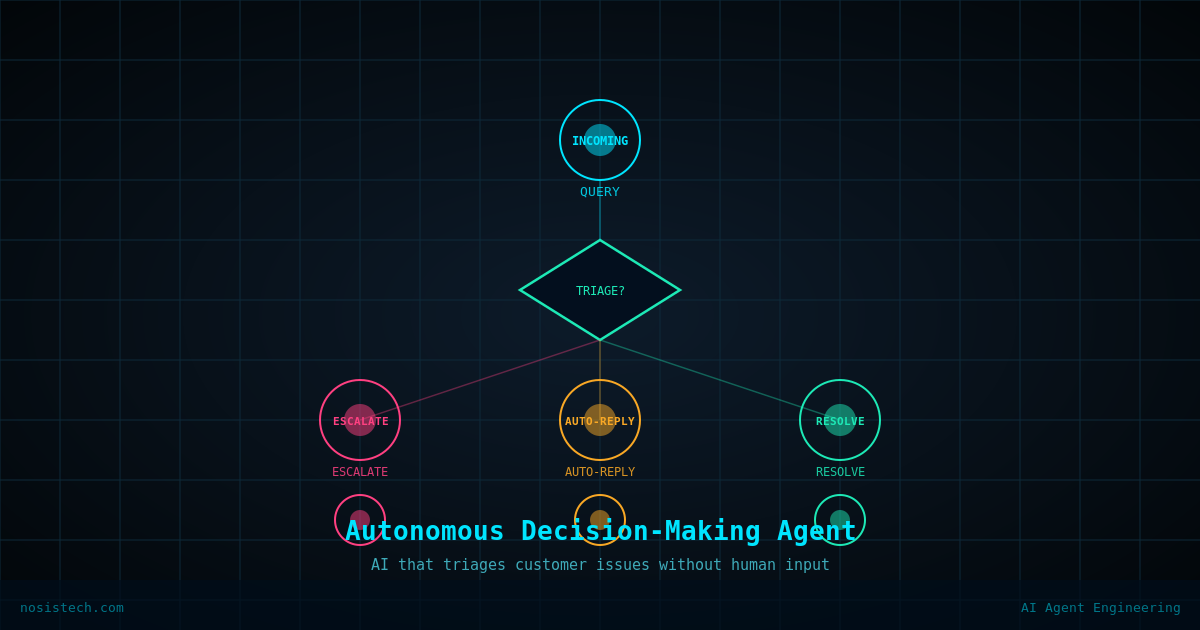
The Autonomous Decision-Making Agent acts as a frontline triage system. When a customer issue arrives, the agent does not immediately call an AI model and hope for a reasonable answer. Instead, it first evaluates three factors: the customer’s tier, whether there are active system alerts, and how urgent the issue appears to be.
It combines those factors into one mathematical score and compares that score against a configurable threshold.
If the score is below the threshold, the issue is routine enough to handle automatically. The agent sends the full context to the language model and returns a professional resolution. If the score is at or above the threshold, the issue is too sensitive or too high-stakes for autonomous handling and gets escalated to a human immediately.
Every decision produces a printed audit trail so an operator can see exactly why the agent decided what it decided.
Why I Built This
Basic chatbot setups treat every message the same. A standard-tier user asking how to access a dashboard gets routed the same way as an enterprise client reporting a business-sensitive issue. That is not how a competent support operation works.
A human support lead would immediately recognize that those two situations require different levels of attention. I wanted an agent that mirrors that judgment, not by training a separate classifier or building a complex pipeline, but by encoding the business logic directly into the scoring math.
The threshold lives in the environment file. The tier weights and alert weights live as constants in the code for this teaching version. That keeps the architecture visible while still making the most important control point easy to tune.
The Architecture
The agent has four layers that execute in sequence every time an issue arrives.
Layer 1: Environment Validation
Before the agent does anything else, it checks that every required configuration value exists. If LITELLM_BASE_URL, MODEL_NAME, LITELLM_API_KEY, or ESCALATION_THRESHOLD are missing, the agent prints exactly which variables are missing and exits cleanly.
def validate_environment():
    """Check that all required environment variables are set; exit if not."""
    required_vars = [
        "LITELLM_BASE_URL",
        "MODEL_NAME",
        "LITELLM_API_KEY",
        "ESCALATION_THRESHOLD",
    ]
    missing = [v for v in required_vars if os.getenv(v) is None]
    if missing:
        print("ERROR: Missing required environment variables: " + ", ".join(missing))
        sys.exit(1)
This prevents the agent from running in a broken state. If configuration is missing, it fails immediately and clearly.
Layer 2: Context Assembly
The agent assembles a context dictionary for the incoming issue. That dictionary holds three values: the customer tier, the list of active system alerts, and an urgency score.
def build_customer_context(tier: str, active_system_alerts: List[str], urgency_score: float) -> Dict:
    """Return a dictionary with customer tier, system alerts, and urgency."""
    return {
        "customer_tier": tier,
        "active_system_alerts": active_system_alerts,
        "urgency_score": urgency_score
    }
In this example, those values are passed in as function arguments. In production, they could come from a CRM, support desk, webhook, or monitoring system.
Layer 3: Escalation Scoring
This is the core decision engine. The urgency score contributes directly to the total. The customer tier adds a fixed multiplier. Active alerts add risk, up to a capped maximum.
TIER_MULTIPLIER = {
    "standard": 0.3,
    "premium": 0.6,
    "enterprise": 0.9
}
ALERT_WEIGHT = 0.2
ALERT_MAX_CONTRIBUTION = 0.4

def calculate_escalation_score(context: Dict) -> float:
    tier = context.get("customer_tier", "standard").lower()
    tier_mult = TIER_MULTIPLIER.get(tier, 0.0)
    alerts = context.get("active_system_alerts", [])
    alert_contrib = min(len(alerts) * ALERT_WEIGHT, ALERT_MAX_CONTRIBUTION)
    score = context["urgency_score"] + tier_mult + alert_contrib
    return score
Standard adds 0.3, premium adds 0.6, and enterprise adds 0.9. Each active alert adds 0.2, capped at 0.4.
The higher the number, the more the agent leans toward human escalation.
Layer 4: Resolution or Escalation
Once the score is calculated, the agent compares it against ESCALATION_THRESHOLD.
threshold = float(os.getenv("ESCALATION_THRESHOLD", "0.7"))
score = calculate_escalation_score(context)
escalate = score >= threshold
If the issue escalates, the model is never called. If the issue is safe for autonomous handling, the model receives the customer context and writes the support response.
This is the main architecture lesson: deterministic code decides whether AI should act.
The Model-Agnostic Layer
Every AI call routes through a LiteLLM-compatible OpenAI SDK client.
client = openai.OpenAI(
    base_url=os.getenv("LITELLM_BASE_URL"),
    api_key=os.getenv("LITELLM_API_KEY")
)
The model name, base URL, and API key all come from the environment file. The triage decision does not depend on the model. The model only gets involved after the code decides the issue is safe to handle autonomously.
Setup
The environment template is named .env.template, matching the README.
LITELLM_BASE_URL=http://localhost:4000
MODEL_NAME=YOUR_MODEL_NAME_HERE
LITELLM_API_KEY=YOUR_API_KEY_HERE
ESCALATION_THRESHOLD=0.7
The requirements file uses:
openai==2.30.0
python-dotenv==1.1.1
httpx==0.28.1
The python-dotenv version matters because later projects in the series need python-dotenv>=1.1.1. Standardizing on 1.1.1 keeps one post from breaking another.
The Demo Scenarios
The script runs three scenarios.
Scenario 1 is a standard-tier customer with urgency 0.2 and no active alerts. The score is 0.50, below the 0.7 threshold, so the agent resolves the issue autonomously.
Scenario 2 is an enterprise customer with urgency 0.2 and no active alerts. The enterprise multiplier pushes the score to 1.10, so the issue escalates.
Scenario 3 is a premium customer with urgency 0.2 and one active system alert. The score is 1.00, so the issue escalates.
The successful run confirmed the expected pattern:
Scenario 1: AUTONOMOUS resolution
Scenario 2: ESCALATE to human
Scenario 3: ESCALATE to human
What I Would Do Differently
The scoring weights are constants defined at the top of the code. For production, I would move them into the environment file or an admin-controlled config so a non-technical operator can tune them without opening the codebase.
The agent also has no memory. Every issue is evaluated in isolation. A production version would check whether the same customer has repeated issues, recent escalations, or multiple tickets about the same incident.
Finally, the escalation path prints a message and stops. A real deployment should trigger something concrete: a Slack notification, ticket assignment, email, or helpdesk escalation.
What This Means
If you run a service business with any volume of customer inquiries, not every request deserves the same level of attention. The problem is that deciding which ones matter most usually requires a human reading every message before routing it.
This agent encodes that triage logic into a mathematical formula that runs in milliseconds. Enterprise clients get immediate escalation. Standard-tier users get fast autonomous responses for routine issues. The support team only sees the issues that genuinely need them.
The threshold is configurable. The model is swappable through LiteLLM. The audit trail explains every decision.
That is the pattern: use deterministic code for the judgment call, and use the model only after the system decides it is safe.
Tools Used
- LiteLLM (MIT) : github.com/BerriAI/litellm
- OpenAI Python SDK (Apache 2.0) : github.com/openai/openai-python
- python-dotenv (BSD-3-Clause) : github.com/theskumar/python-dotenv
- NosisTech Agent Engineering : github.com/nosistech/agent-engineering
Keep reading in this series
Previous build: #1 Tool Invocation Agent: Building an AI That Takes Real-World Actions From Scratch
Next build: #3 Market Data Agent: Compliance-First Stock Pipeline
All 56 builds: 50+ Agent Patterns & Builds
(c) 2026 NosisTech LLC. Licensed under CC BY 4.0. Use freely, just credit us.